10 11
English
Replacing the nozzle
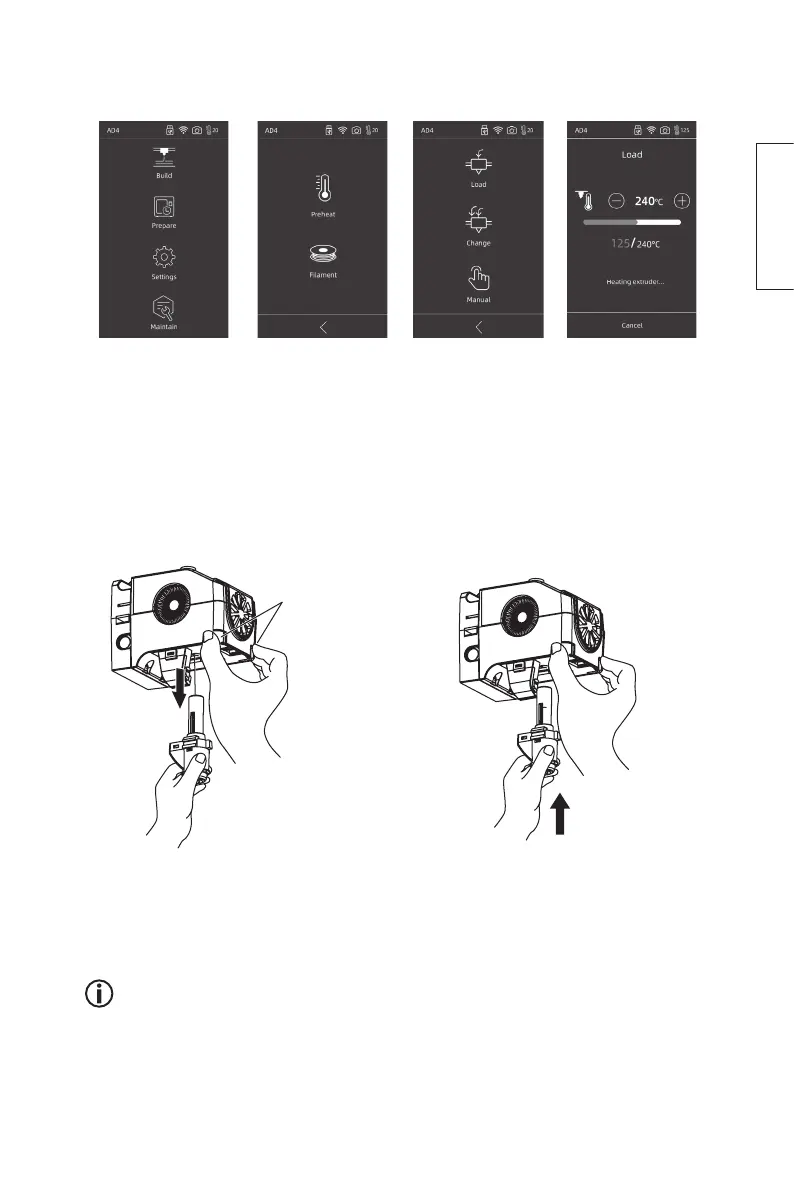
1. Press Prepare 2. Press Filament 3. Press Change 4. The extruder will
heat up. Once
the extruder
has heated up,
the filament will
automatically be
feed out.
5. Switch off the power to the printer and let it cool.
6. Press in both the clips and pull the
nozzle downwards. (use a pair of
pliers if you have difficulty).
7. Fit a new extruder nozzle by
pressing in the locking clips and
pushing the nozzle upwards.
Clip
Refer to the instructions on YouTube
Search for − Adventurer 4 nozzle disassemble.















 To Next Page