2.2.2 Filament
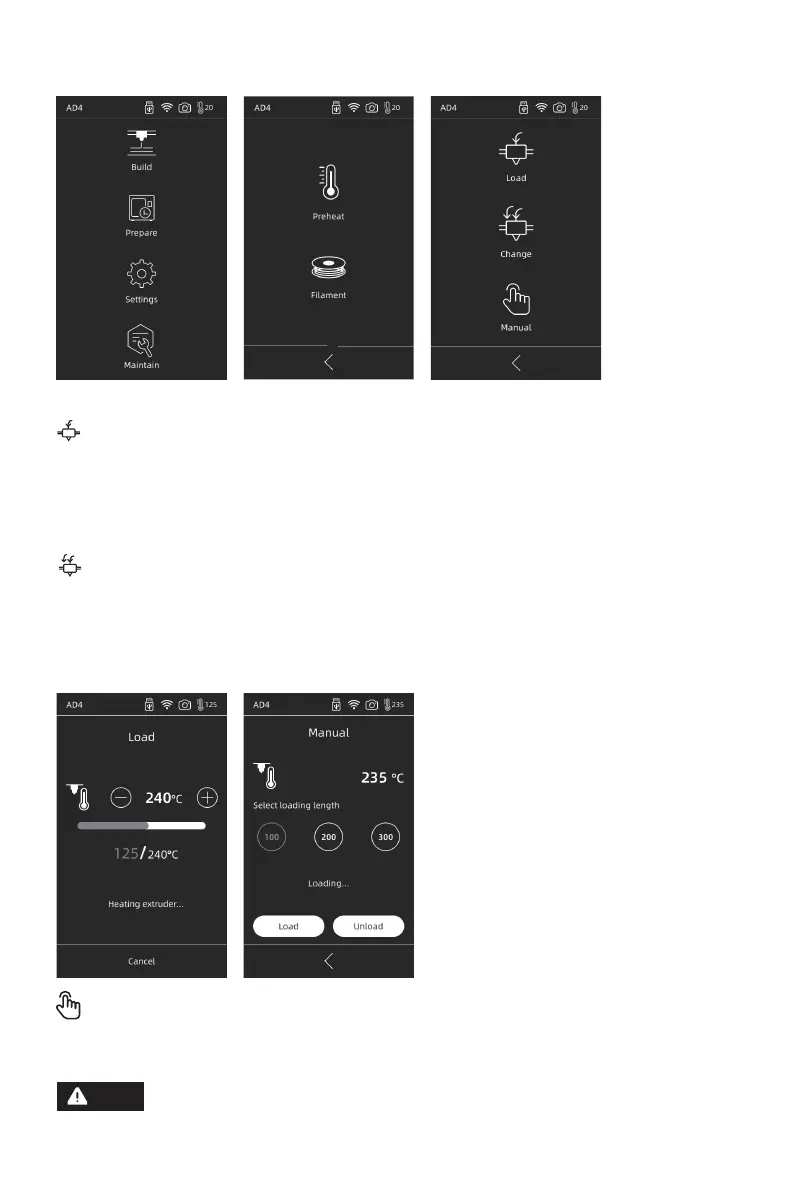
Load/Change/Manual
Load
Choose [Load], extruder will be heated to set temperature, then follow the instruction to
finish loading. Note that fast+slow loading is automatically applied, just place the
filament in the extruder gear. Do not push the filament into the tube. You may hear noise
when the loading is fast.
Change
Click on [Change], the extruder will be heated up to the preset temperature. Pull out the
filament according to the instruction. Insert new filament in the filament intake until some
resistance is felt. New filament coming out of extruder indicates a successful replace-
ment.
Manual
Click on [Manual], extruder will be heated up to preset temperature. Choose filament
length, and choose [Load/Unload].
Note that manual mode should be preferred when there is remaining
filament in the tube.
Note
11















 To Next Page