Extruder
Load Unload
Done
Extruder
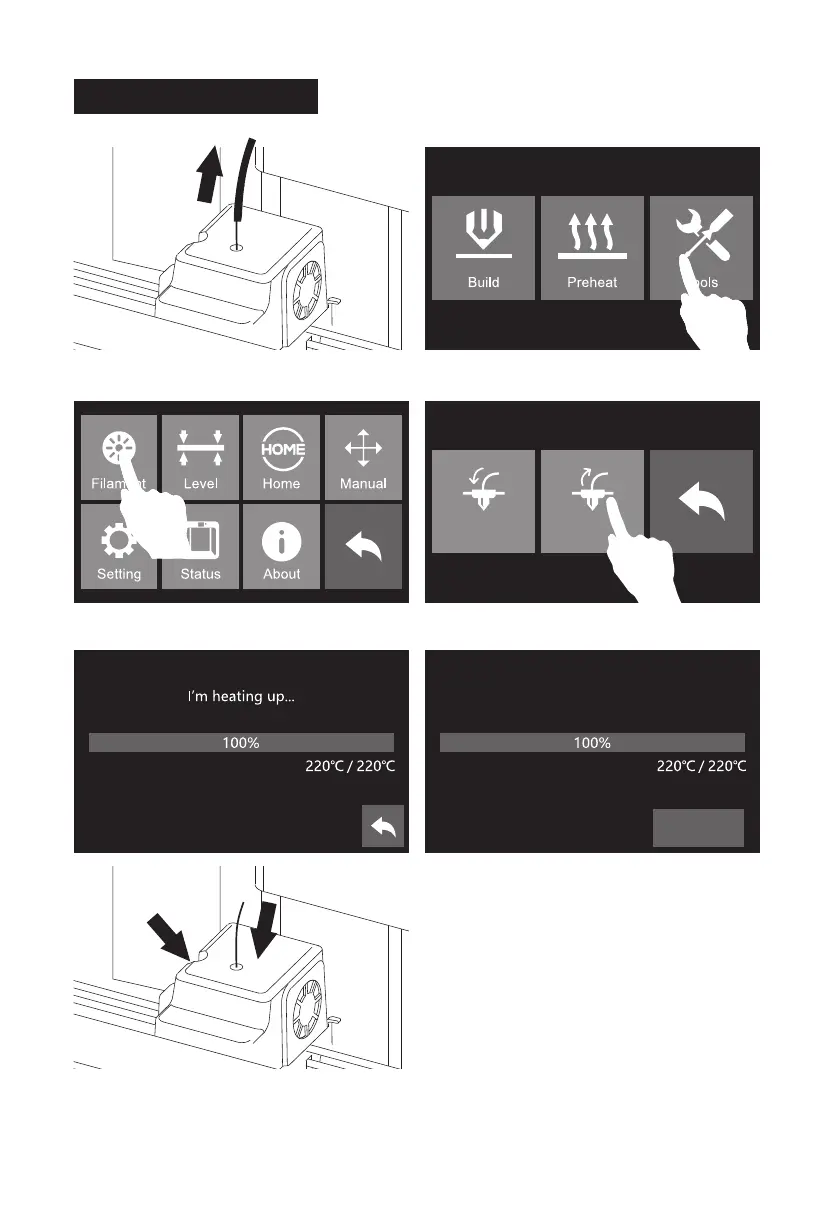
Unload started, press down on the
spring lever and withdraw filament
2. Tap [Tools].
Please follow steps below if you need to unload filament in
daily use.
3. Tap [Filament]. 4. Tap [Unload].
Unloading Filament
12
1. Pull filament guide tube out of filament intake,
leave filament 10cm to pull filament easily.
Press here
Push filament down through for 3 seconds
5. When heating to target temparture, press
spring presser and push filament down through
for 3 seconds, until you see steady filament
coming out from nozzle.














 To Next Page