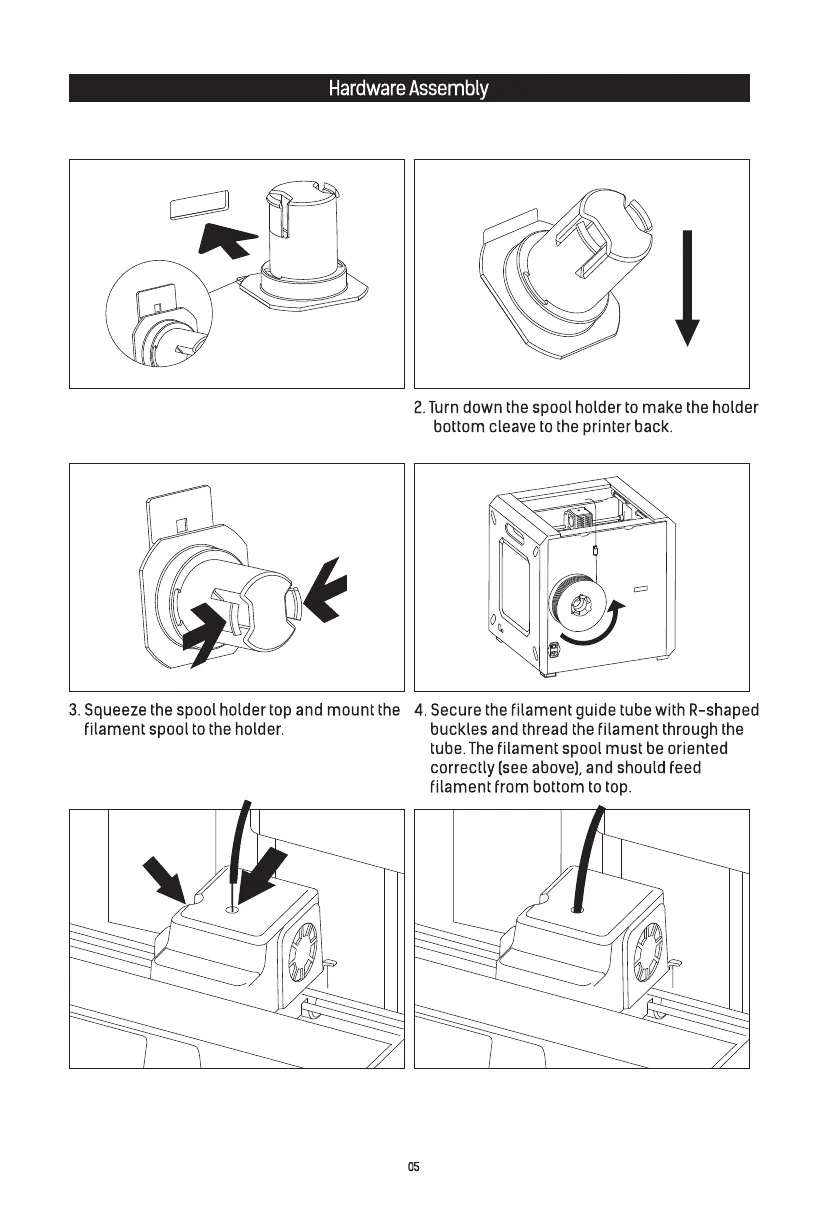
5. After filament goes through guide tube, press
spring presser on the left side of extruder, and
insert filament vertically into filament intake.
1. Locate the spool holder. Install the spool holder
into the left quadrangular opening on the back.
6. After inserting into filament intake, insert guide
tube into extruder filament intake to fix.
Press here
Filament intake















 To Next Page