(1)
The unit of measure depends on the display format chosen.
All examples above are based on the cubic meter format (see point 2.12).
3200 ET & RM
31
3 - PROGRAM LEVEL #2
2.1
2.2
2.3
LEVEL #2 - OPTION SETTINGS - SOFTENER
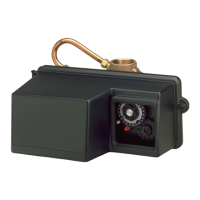
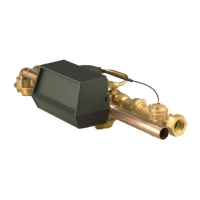
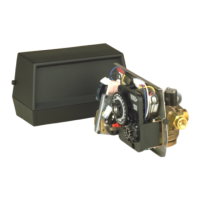
MANUFACTURER PROGRAMMING
Setting up the valve during manufacturing of the softener requires access to the second level of
programming.
This level includes the functioning parameters of the softener related to actual system
configuration.
ENTERING LEVEL #2
A- Press the button for 5 seconds. The program arrow turns on and the first display viewed
is used to set the inlet water hardness. Then press the button for 5 seconds.
B- The and set buttons are used to set the parameter values of different displays.
C- Passing to the next display, push the button.
Note: depending on the current programming, certain displays will not be viewed or set.
FLOW RATE (Fr):
Not viewed in timeclock regeneration mode.
Press the button .This display is identified by the letters "Fr". This first display is the current
flow rate of treated water. The unit of measure is the litre per minute.
Ex.: 8,6 l/min [Fr - - - 8.6]
DAYS SINCE THE LAST REGENERATION (d):
Press the button .This parameter is identified by the letter "d". This display shows the number
of days recorded since the last regeneration. This display is used as an aid in the valve
maintenance and is not an option setting.
Ex.: 2 Tage [d - - - - - 2]
PRIOR SERVICE VOLUME USED (E):
Not viewed in timeclock regeneration mode.
Press the button . This display is identified by the letter "E". This display shows the amount of
water used since the last regeneration. This display is used as an aid in the valve maintenance
and is not an option setting.
The unit of measure used depends on the display format chosen
(1)
.
Ex.: 58,6 m
3 (1)
[E - - - 58.6]
E
N
G
L
I
S
H



 To Next Page