9
Troubleshooting (cont.)
The Fasteners Are Not Flush and Parallel With Belt Edge:
Belt was not installed ush against the Ready Set fastener belt stops.
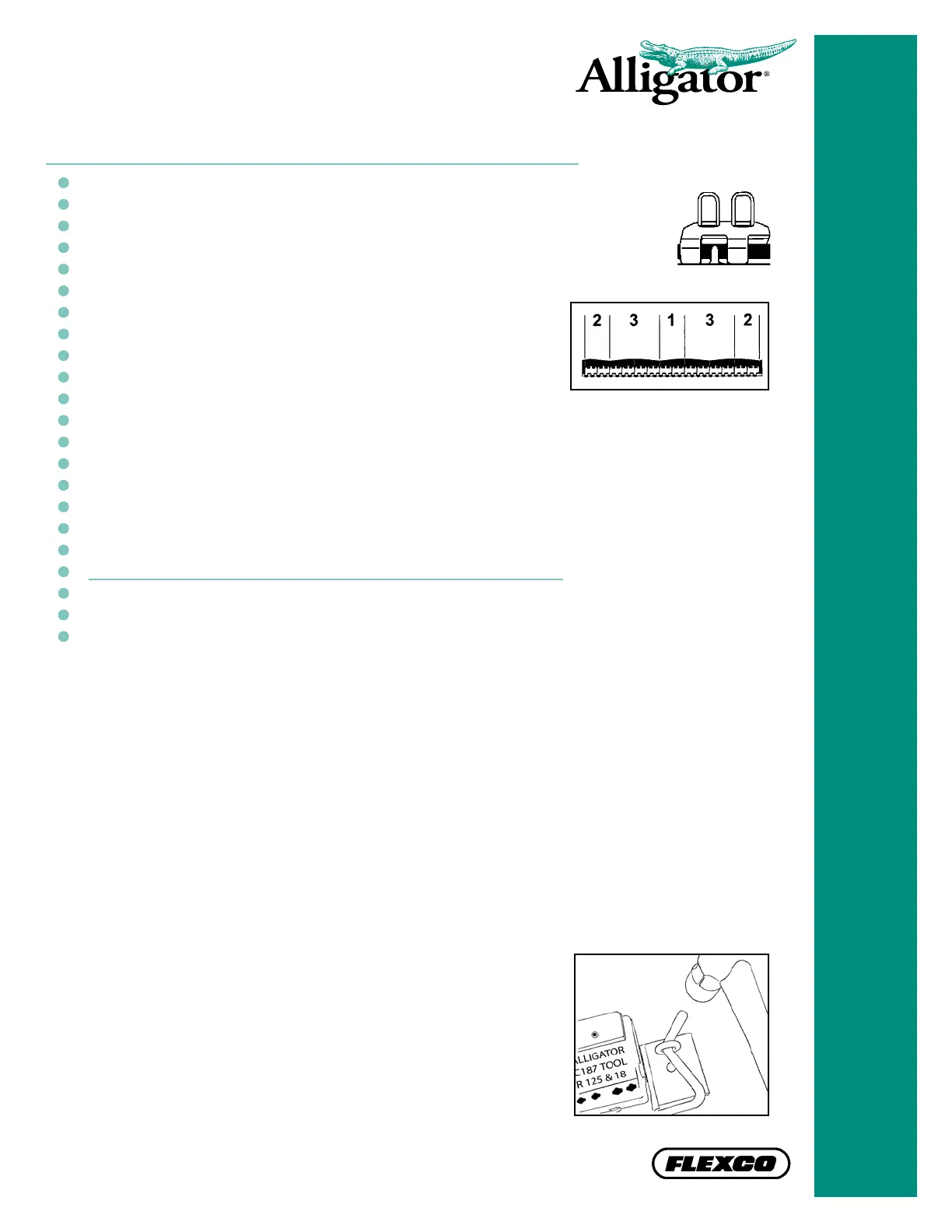
• First install the center two fasteners and then install
fasteners on outside edges. Finish by installing the
remaining fasteners.
Fasteners were installed from ‘left to right’ or ‘right to left’.
Correct
• Tighten cam lever by turning it clockwise until a snug lock is achieved.
• Replace cam levers.
Cam levers were not properly engaged or are worn.
Spring-loaded belt nails located in top block of the Alligator RSC187 are stuck or
are missing. Replace top block as needed.
• Alligator RSC187 Installation Tools that are 12" (300 mm)
or wider are designed with a Belt Release Bar. Use a
light hammer blow on the ends of the Belt Release Bar to
disengage the Ready Set fasteners from the tool.
• If you are not sure of the direction of belt travel,
notch/chamfer all four corners.
ALLIGATOR
®
STAPLE
• Procedure for removing an Alligator
®
Staple fastener from a laced belt end
In the event of a misred staple there may be the need to remove a single
Staple fastener plate from the laced belt end. To do so:
1. Using the Flexco Belt Nippers, cut the back side of both loops on the
fastener to be removed.
2. Use the Belt Nippers pull the top plate off. This will take some effort
because the staples will need to be pulled straight.
3. Break the bottom plate free from the adjoining fasteners by exing the
belt back and forth at one of the two scores on the bottom plate.
4. With one score broken, use the Belt Nippers to ex the loose plate at
the remaining score to break the bottom plate free.
5. Remove a single Staple fastener plate from a new fastener strip by
exing an end fastener at the score until it breaks off.
6. Install the single fastener plate using the RSC187 installation tool and
a standard two-pronged driver.
Tips


 To Next Page