Flexcom Communication Ltd Installation and operating instructions (2021/06/09)
18/26
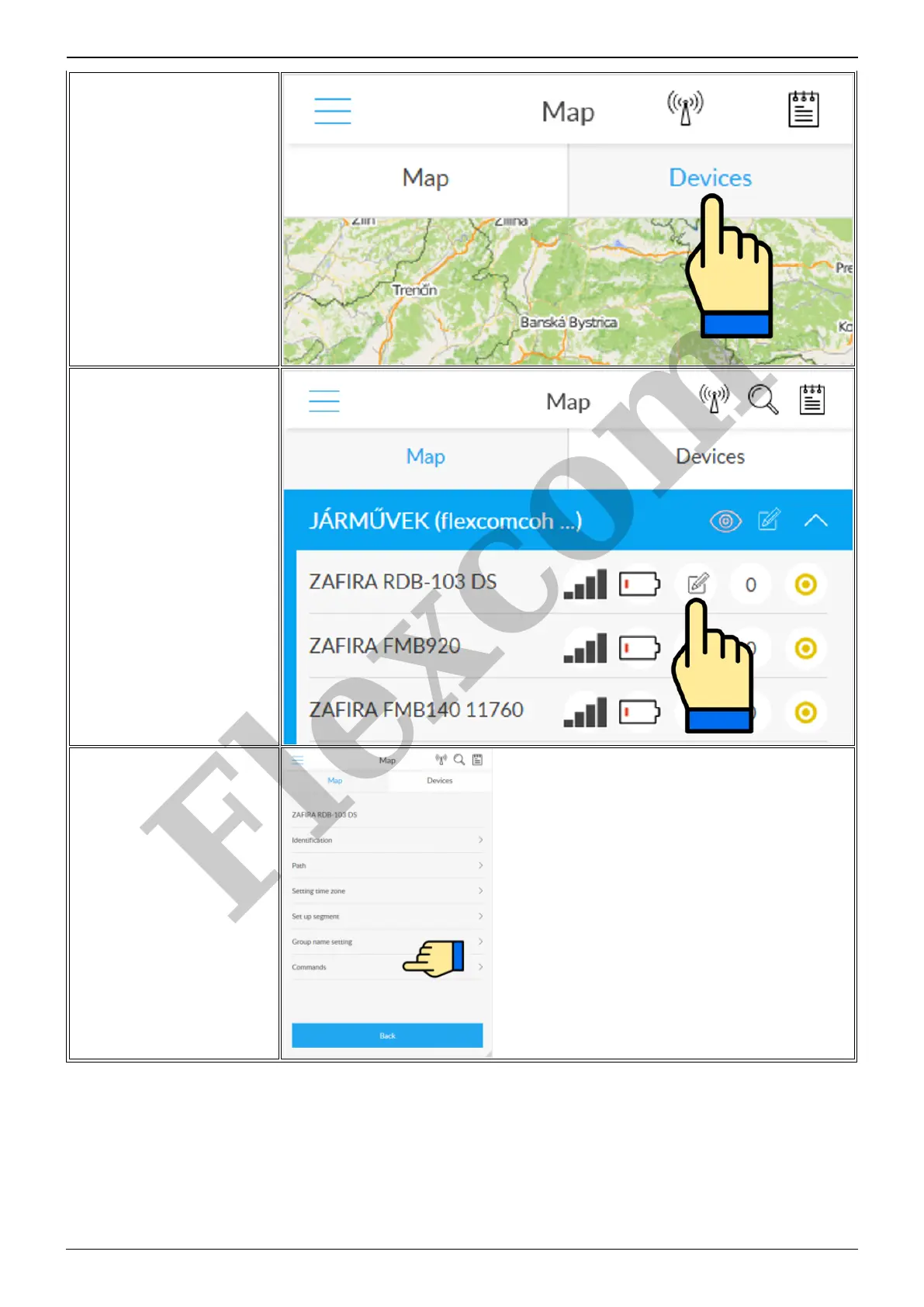
Switch to the Tools panel.
Find your device in the list of
devices and tap the Setup icon next
to the ID.
Select the desired setting or, when
sending a command, select
Commands.
Control the device with SMS commands sent from a mobile phone
The factory-set access password for the tracking device in the commands: 123456
Flexcom


 To Next Page