EasyManua.ls Logo

Flexcom LK209A - User Manual

Flexcom LK209A
26 pages
Print Icon
To Next Page IconTo Next Page
Loading...
Flexcom Communication Ltd Installation and operating instructions (2021/06/09)
1/26
Installation and operating instructions
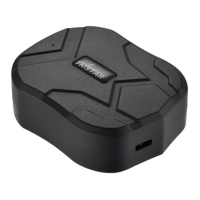
LK209A vehicle, person, package, boat tracker device
Introduction
In developing the products we offer, the manufacturers have acted with the utmost care and in
accordance with international standards.
Warranty
We offer a 12-month warranty on the products, which is valid from the date of purchase. Keep the
invoice or block you received at the time of purchase and / or the warranty card of the device,
because you can only enforce your warranty claim if you have them. During the warranty period, we
will replace any defective main unit, accessory or software of the product in the event of any defect
attributable to a manufacturing, material or software defect. Subsequent repairs to the device or its
accessories are not permitted by the manufacturer due to the design of the device.
The warranty does not cover a product (or accessory) that has been damaged or rendered inoperable
due to attempts to modify or repair the software, physical impact, poor voltage, improper use.
To ensure proper, effective and safe use of the product, read the instruction manual carefully and
keep it for future reference. Flexcom Kommunikációs Kft. Shall not be liable for any damage, product
damage, short-term or long-term health damage that may occur as a result of use, repair, storage
and transport other than those described in this manual.
Rights, trademarks
© 2019, Flexcom Kommunikációs Kft.
All rights reserved. No part of our printed or online publications may be reproduced, distributed or
transmitted in any form or by any means, including photocopying, recording or other electronic and
mechanical methods, without the prior written permission of the publisher. To obtain a permit,
contact your dealer:
Contact
Flexcom

Questions and Answers

Summary

Introduction and Warranty

Introduction

General statement about product development and adherence to international standards.

Warranty Information

Details the 12-month warranty, coverage, exclusions, and claim process.

Rights, Trademarks, and Contact

Covers copyright, trademarks, and customer contact details for support.

Company and Product Information

Company Details and Contact

Provides Flexcom Communication Ltd.'s address, email, website, and phone numbers.

Protection of Personal Data

Explains the device's data management and security measures for user privacy.

Document Conventions

Style Guide and Notations

Defines bold, italic, and courier text usage for clarity in the manual.

Warning and Cautionary Signs

Explains the meaning of various icons used to indicate risks and tips.

Product Description

Device Features and Applications

Details the device's positioning, safety, tracking functions, and use cases.

Tracking Methods

Explains how the device can be tracked via SMS or a web application.

How to Use the Device

Initial Setup and SIM Card

Guides on inserting a SIM card, charging, and initial device setup.

Data Collection and Access

Explains how the device collects data and how it can be accessed via SMS or software.

Technical Specifications

Physical and Memory Parameters

Lists dimensions, weight, memory type, and battery specifications.

Network and Communication Specs

Details GNSS, GSM, data traffic, frequencies, and communication protocols.

Sensor and Interface Details

Covers available sensors and internal interface components like antennas and microphone.

User Guide - Setup

Transport and Storage Guidelines

Provides guidelines for transporting and storing the device safely.

Unpacking and Package Contents

Instructions on opening the box and listing included items.

SIM Card Preparation

SIM Card Requirements

Explains the necessity of a SIM card and how to obtain/prepare it.

SIM Card Settings

Instructions on disabling PIN and call forwarding for the SIM card.

Setting Up Data Traffic

Details on activating GPRS/Internet and entering APN settings via SMS.

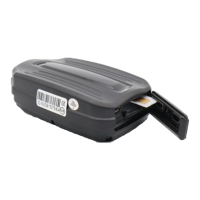
SIM Card Insertion

SIM Card Insertion Steps

Step-by-step instructions and visual guide for inserting the SIM card into the device.

Application Access

Mobile App Installation

Guides on installing mobile applications for Android and iPhone.

Device Interface and Indicators

User Interface Overview

Identifies connectors and controls on the device.

LED Display Status Meanings

Explains the meaning of different LED light indications during operation.

Device Charging and Placement

Battery Charging Procedure

Instructions on how to charge the device's built-in battery via USB.

Device Placement Options

Guidance on where and how to place the device using its magnetic base.

Device Operation Modes

Powering On and Off

Explains how to activate and deactivate the device using the on/off button.

Operating Time and Standby

Details the device's standby and continuous operation times based on usage.

Device Operation Methods

Describes two primary ways to operate the device: with distributor's software/SIM or own SIM.

Software Configuration

Using Distributor Software

Details operating and registering the device with distributor's software and own SIM.

Standalone SIM Operation

Explains using the device with own SIM and SMS commands without distributor software.

Software Setup Access

Explains how to access setup operations via desktop or mobile applications.

Application Interface Navigation

Desktop Application View

Shows how to select a device and access settings or commands in the desktop app.

Mobile Application Menu

Illustrates selecting 'Map' from the mobile app menu to view device location.

Controlling the Device

Navigating Application Settings

Shows how to switch to Tools panel and find device settings.

SMS Command Control

Explains how to control the device using SMS commands sent from a mobile phone.

General Device Settings

Password and Administrator Phone

Instructions for changing passwords and setting administrator phone numbers.

Time Zone and Upload Frequency

Covers setting the device's time zone and data upload frequency.

Sleep Mode Configuration

Explains how to activate or deactivate the device's sleep mode via SMS.

Device Status and Monitoring

Device Restart and Factory Reset

Procedures for restarting device modules or resetting to factory settings.

Querying Device Position

Instructions on how to retrieve the device's location via SMS.

Sound Monitoring Functionality

Describes how to activate and use sound monitoring features.

Device Alarms

Low Battery Voltage Alarm

Explains SMS alerts for low battery status.

Displacement and Speed Alarms

Covers SMS alerts for device movement and exceeding speed limits.

Shock Detection Alarm

Shock and Impact Alerts

Explains SMS alerts for impacts, overturns, or other shocks detected by the device.

Safety, Maintenance, and Disposal

Safe Use Information

Covers RF energy, casing materials, and general user safety.

Product Maintenance and Lifespan

Discusses battery lifespan, replacement, and cleaning guidelines.

Decommissioning and Disposal

Instructions on how to properly dispose of the device and its packaging.

Troubleshooting and Support

Problem Identification and Solutions

Lists common symptoms, causes, and solutions for device issues.

Further Assistance

Guidance on contacting the dealer if troubleshooting steps fail.

Decommissioning Details

Device Disposal Procedures

Details environmental impact of components and proper electronic waste disposal.

Packaging Disposal

Guidance on how to dispose of packaging materials.

Flexcom LK209A Specifications

General IconGeneral
BrandFlexcom
ModelLK209A
CategoryGPS
LanguageEnglish