Flexcom Communication Ltd Installation and operating instructions (2021/06/09)
5/26
How to use
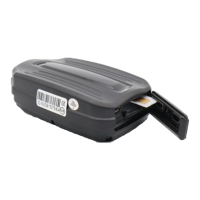
The device can be used after inserting a SIM card, inserting it in a car and then setting it up via SMS
or a mobile phone or PC application. Once turned on, the GPS receiver and SIM card will automatically
connect to the GPS and GSM networks (if available) and begin collecting position data, which can be
queried using SMS or an Internet application.
To use the features of your device, you need a SIM card, similar to a mobile phone. The device
communicates with the mobile service provider's network via SIM card, SMS or mobile phone or PC
applications. After inserting the SIM card and charging the battery, you can make the necessary
settings by sending an application or SMS (eg entering the device ID name, frequency of sending GPS
position data, etc.).
When switched on
The device continuously registers position data, which can be queried with SMS commands at a
limited level.
If you have a software subscription, the device sends the position data to the software service
center - the processed results (eg map route display, route event list, real-time tracking) - can
be viewed in the phone or computer application.
You will find detailed information on the installation, use, maintenance and decommissioning of the
device in the following sections of the documentation.
Flexcom


 To Next Page