26
NORDICPANEL
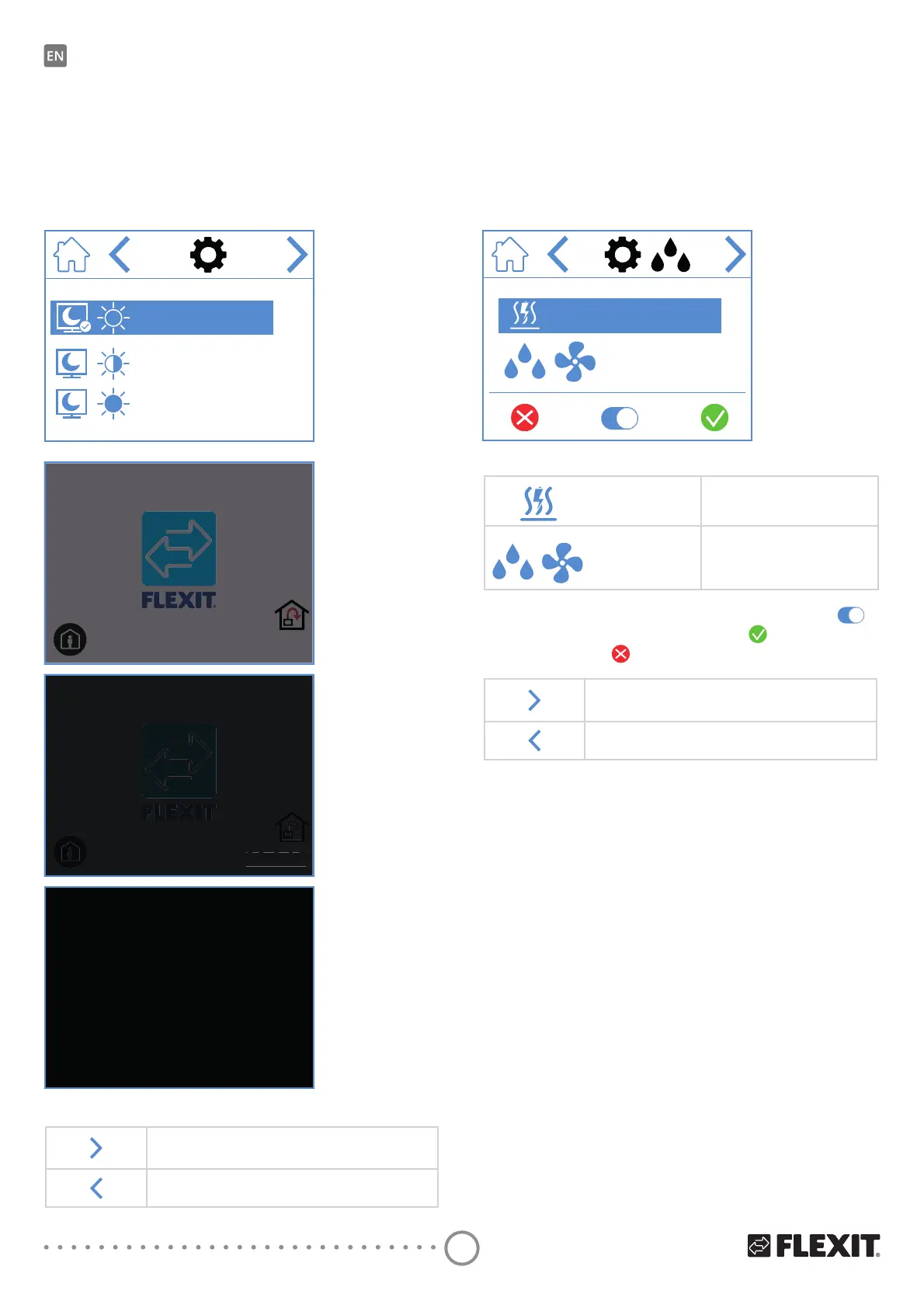
3.6. SELECT SCREENSAVER
Here, you can choose the brightness of the screensaver.
1. OLJKW
2. GLPPHG
3. GDUN
Below, you can see that screensaver 1 has been selected.
1
2
3
Screensaver 1
Screensaver 2
Screensaver 3
Screensaver selection icons
Go to the next menu.
Go to the previous menu.
20.0 °C
°C
20.0 °C
°C
3.7. SETTINGS SCREEN
+HUH\RXFDQDFWLYDWHGHDFWLYDWHWKHHOHFWULFSRVW
heating coil as well as the internal humidity sensor.
127(+XPLGLȴHUVDUHQRWVWDQGDUGRQDOOPRGHOV
ΔIbWKHbPHQXLVQRWDYDLODEOHRQWKHSDQHOLWLVEHFDXVH
there is no sensor installed on the unit.
ON
Go to the next menu.
Go to the previous menu.
Humidity settings screen icons
ON/OFF
Electric heating coil
IRUSRVWKHDWLQJ212))
ON/OFF
Internal humidity sensor
ON/OFF
To change the value, press the line and then press
to toggle between ON and OFF. Press WRFRQȴUP
DQGbVDYHRUSUHVV
to undo and reset the value.
OFF


 To Next Page