–16–
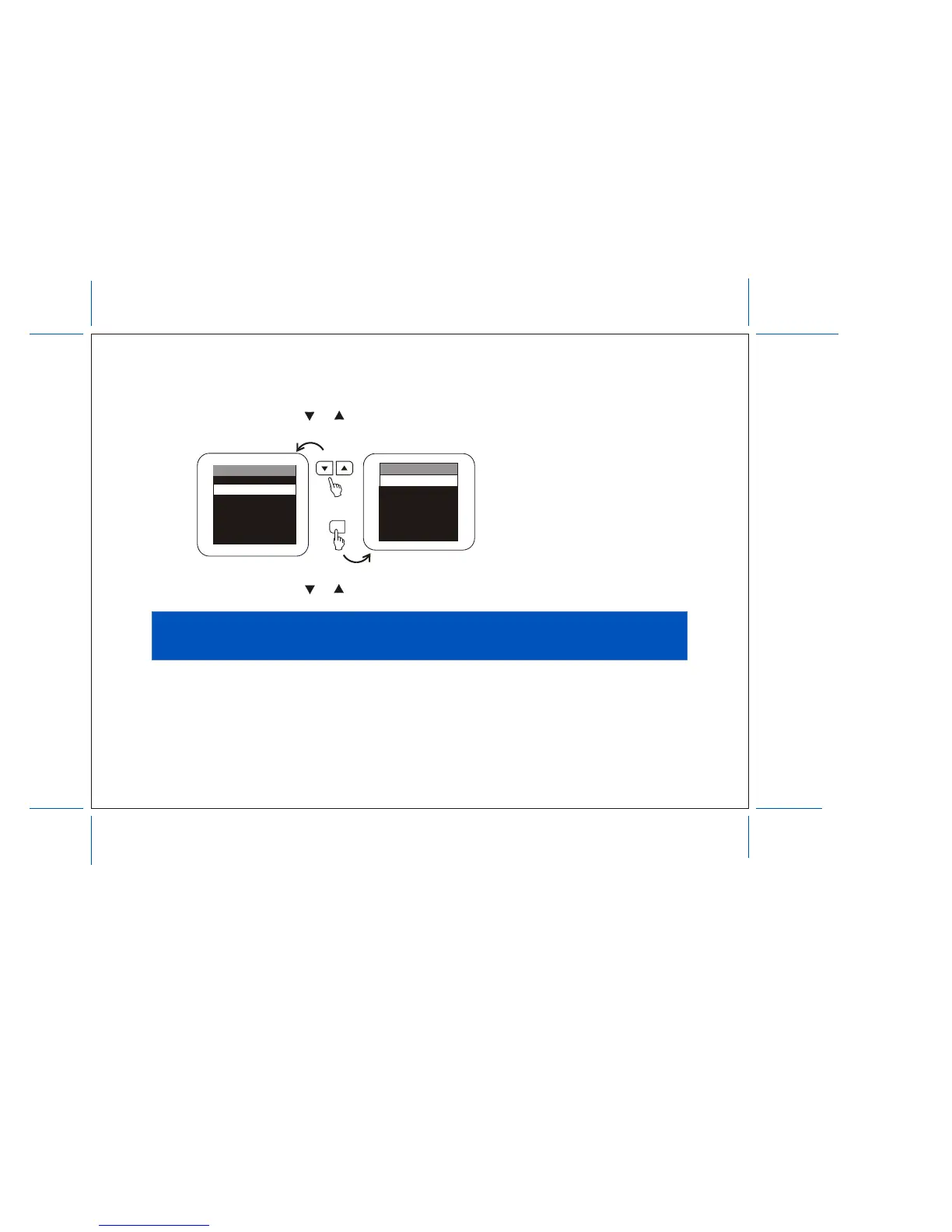
2. Press either CHANNEL t or s to select the function.
Make sure the highlight bar is CAPTION and then press ENTER.
3. Press either CHANNEL t or s to select the item and then press ENTER.
CHANNEL
ENTER
CAPTION
CAPTION 1
CAPTION 2
TEXT 1
TEXT 2
OFF
CABLE TV (CATV) OPERATION
In addition to normal broadcast reception of VHF and UHF channels, if you are a cable TV subscriber,
your new TV is capable of receiving many unscrambled cable channels without the use of a converter
box.
When set to broadcast TV it receives channels 2 ~ 69. When set to one of the CATV modes (STD, HRC,
or IRC) it receives channels 1 ~ 125 (see chart on the following).
MAIN MENU
CLOSED CAPTION
SELECT VIDEO
SET PICTURE
AUTO-PROGRAM
ANTENNA INPUT
V-CHIP PROTECT
SET PASSWORD


 To Next Page