1. Start & Setting
SETTING
①
②
③
④
⑤
⑨
[Main Screen]
[Setting Screen]
⑥
⑦
⑧
⑩
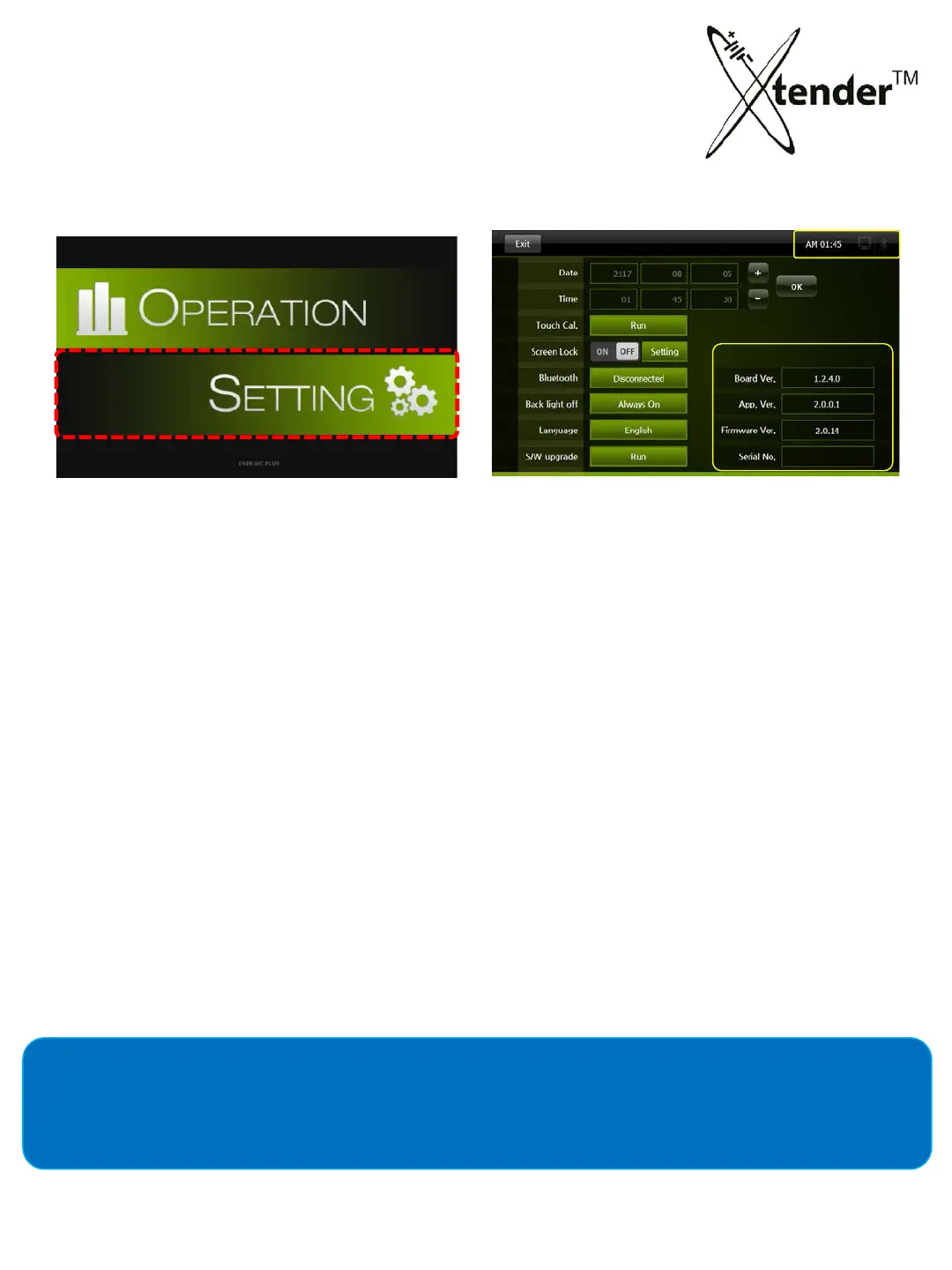
1) Select icon “SETTING” on main screen.
2) It will move Setting Screen as shown above.
SETTING SCREEN TITLES
① Date : YY/ MM/ DD
② Time : Time setting, HH/ MM / SS.
③ Touch : T
ouch Screen Calibration
④ S
creen Lock : Setup screen lock password to prevent tampering.
⑤ B
luetooth : Bluetooth wireless communication between Xtender and integrated receiver.
⑥ Back light off : Automatically backlighting off, energy saving mode.
⑦ Language : Korean, English, Spanish and Japanese
⑧ S/W upgrade : Latest F
i
rmware and Software Update
⑨ Upgrade of Xtender : HW & SW Version
⑩ Xtender Time, Connection Information
Operation (Restoration & Discharge) data will be recorded on SD Memory Card so be sure to set
time to match your local time.
26



 To Next Page