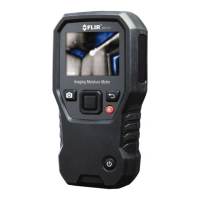
Battery Check and Replacement
The displayed battery bar indicates battery status. When the battery indicator
has no bars and is flashing, replace the batteries. To replace batteries, twist
off the battery compartment end-cap and replace the two ‘AAA’ batteries, ob-
serving correct polarity. Secure the compartment before use.
Do not dispose of used batteries or rechargeable batteries in house-
hold waste.
Specifications
Display
LCD
Measurement type Electrical resistance
Range 5 to 60% MC (moisture content)
Accuracy
5 to 30% MC: ±2% of reading
30 to 60% MC: Reference only
Note: Displayed reading is for Group 9/Building Materials, including plywood, drywall, and
oriented strand board (OSB). For other materials, download the MR40 Material Conver-
sion Chart (publication MR40-AN01): http://flir.custhelp.com/app/account/fl_downloads
Resolution 1%
Electrode pins Integrated, replaceable
Auto Power OFF (APO) After three (3) minutes
Power supply 2 x 1.5 V ‘AAA’ batteries
Battery status indicators Battery bar icon
Meter housing Impact-proof plastic
Dimensions 7.6 x 1.0 x 0.8 in. (192.8 x 26.1 x 31.2 mm)
Weight 2.8 oz. (80 g) with batteries
Limited 3–Year Warranty
This product is protected by FLIR’s Limited 3-Year Warranty. Visit
www.flir.com/testwarranty to read the warranty document.
Customer Support
Customer Support Telephone List https://support.flir.com/contact
Repair, Calibration, and Technical Support https://support.flir.com
#NAS100218; r. AD/97201/97216; en-US
2



 To Next Page