14
CONNECTING AND USING OPTIONAL
WIRELESS REMOTE
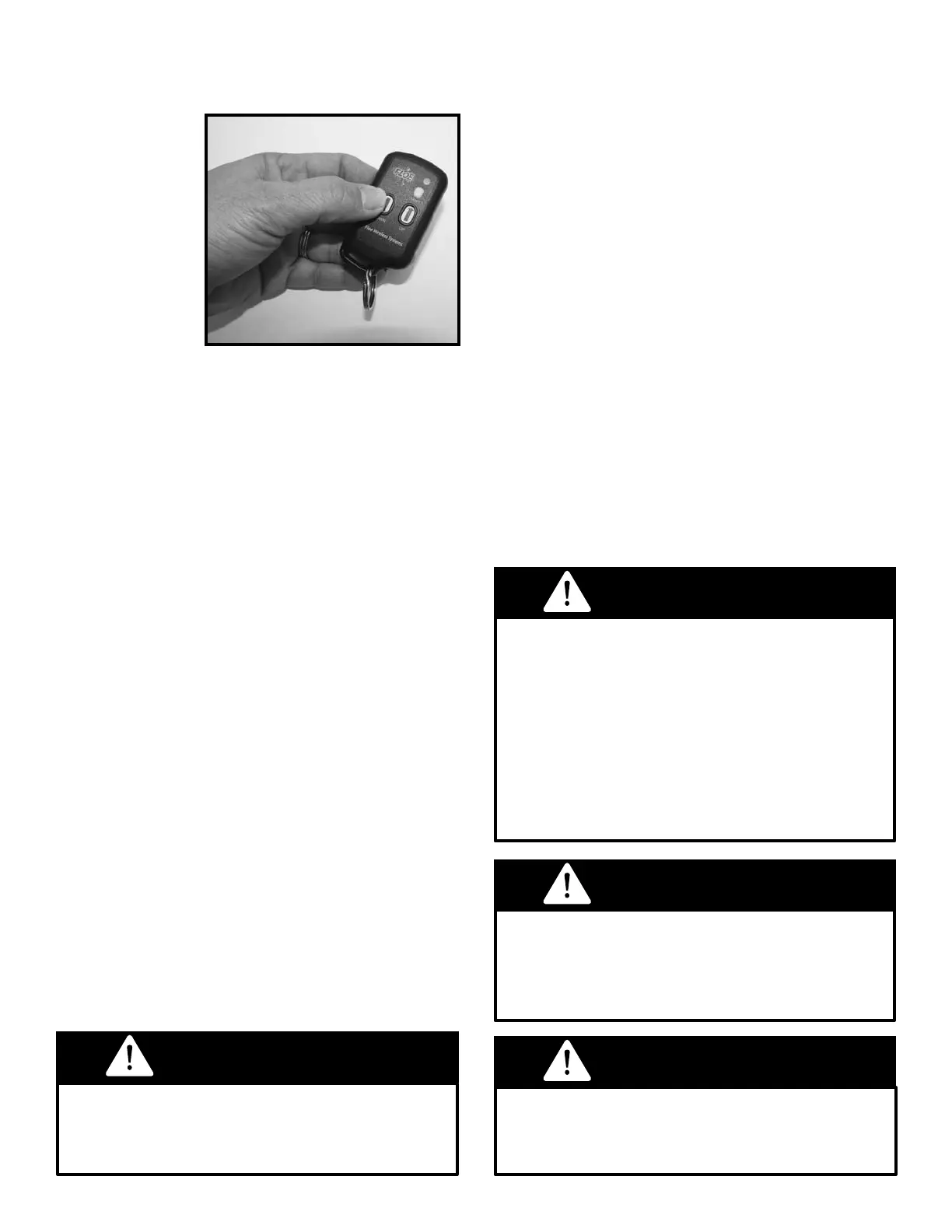
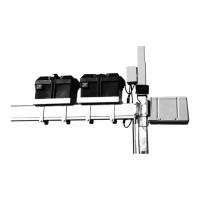
An optional
wireless remote
control (Fig. 18)
will allow op-
eration of the
lift from a dis-
tance. This re-
mote includes a
receiver, mount-
ing post and two
wireless trans-
mitters. The
wireless remote plugs into the 7-in. yellow plug
on the ASC.
For more details, see the assembly instructions.
Should the remote fail to perform properly these
brief steps will help to diagnose the problem.
1. Lift moves without buttons pushed. Unplug the
wireless remote and remove the batteries from
the transmitter. Plug the radio remote receiver
back in, and if the lift still moves, it is possible
that the wireless receiver unit is faulty. If the lift
does not move, replace the batteries in the trans-
mitter to determine if it was transmitting when it
should not have been. Leave the battery out of
any transmitter determined to be faulty and con-
tact your dealer.
2. Lift will not move when the transmitter button is
pushed. Check to ensure that the batteries in all
transmitters are good. If a transmitter has been
dropped in the water, dry it out or replace it. If the
problem persists, it may be due to radio interfer-
ence in your area. When there are two remotes
and both are transmitting at the same time, one
signal will cancel out the other, even if the second
transmitter is for another lift.
It is important that you never raise or lower
the lift using the wireless remote until
you are sure no one is on or near the lift.
Never allow anyone on or under this lift
system, especially while it is being operated
or supporting the weight of a watercraft.
DANGER
DANGER
Stay clear of boat lift when someone is
entering or exiting the lift with a boat. Never
try to assist the boat’s direction while it is in
motion (either from inside or outside the boat).
Fig. 18
LEVELING BOAT LIFT
INSTALLING AND LEVELING LIFT
EASY LEVEL™ LEVELING LEGS
(PATENTED)
FLOE vertical lifts come standard with FLOE’s
exclusive Easy-Level
TM
Leveling Leg. With the
Easy-Level
TM
legs you can effortlessly raise, lev-
el, or lower the lift without getting in the water.
Also, these legs allow for easy adjustment if the
lift should settle or if the water level uctuates
measurably.
As you prepare to install and level the lift, keep in
mind how crucial it is to prevent a boat hull from
rubbing or hitting the bunks or lifting beams and
causing undue pressure on the lift frame. Read
the warning below, and refer back to Fig. 14a on
page 13, which diagrams a properly leveled lift in
adequate water depth.
To raise or lower the lift frame, simply turn the nut
inside the leg as shown in Fig. 24. Turning clock-
WARNING
When positioning the lift it is important that it
is placed in adequate water depth (Fig. 14a
on page 11). The cradle must be lowered
far enough for the boat to easily oat on
and off without touching the lift bunks. If the
boat hull rubs on the bunks when entering
or exiting the lift, the horizontal forces can
cause severe damage to the lift and will
void the warranty on affected components.
WARNING



 To Next Page