EasyManua.ls Logo

Flowserve Logix 3200MD - Intrinsically Safe Barriers; Selecting HART Compatible Barriers; Startup; Local Interface Operation and DIP Switches

Flowserve Logix 3200MD
40 pages
Print Icon
To Next Page IconTo Next Page
To Previous Page IconTo Previous Page
Loading...
14
In order to cal
use the follo
C
network
(µF)
[
Example:
[
65
(300 + 50
390)
Maximum cabl
Maximum cabl
To control ca
for runs less t
5 000 feet, 20
6.5 Intrin
When selecti
barrier is HA
the loop curre
compatible, it
7 Star
t
7.1 Logi
x
Ope
r
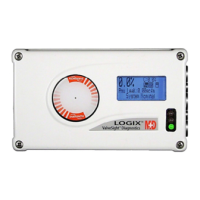
The Logix 320
configure the
response, and
or configurato
calibration but
with two jog b
u
internal stop i
containing 8 s
configuration
is also a gain
settings. For i
conditions the
culate the ma
x
w
ing formula:
[
65
(R
barrier
+ R
wire
R
barrier
= 3
0
R
wire
= 5
0
C
cable
=
2
2
f
o
+
]
- 0.0
0
2
e
length =
C
m
e
length =
0.0
0
b
le resistance,
h
an 5 000 feet
AWG cable s
h
sically Saf
e
n
g an intrinsica
R
T compatible.
nt and allow n
o
may prevent
H
t
up
x
3200MD
L
r
ation
0MD local use
r
b
asic operation
calibrate the p
o
r
s. The Local i
n
t
on for automat
i
u
ttons for span
n
n
the open posit
w
itches. Six of
s
ettings and on
e
s
elector switch
f
n
dication of the
r
e are also 3 L
E
x
imum networ
k
+ 390)
]
-
0
3
0
0
0
pF
o
ot
=
0.
0
0
3 = 0.0032 = 0.
0
(µF)
m
ax network
(µF)
C
cable
0.08 µF
0
0022 µF/foot
=
24 AWG cabl
e
. For cable ru
n
h
ould be used.
e
Barriers
lly safe barrier
,
Although the
b
o
rmal position
e
H
ART commun
L
ocal Interf
a
interface allow
s
of the position
e
o
sitioner withou
n
terface consist
s
c zero and spa
n
n
ing valve/actu
a
i
on. There is al
t
he switches ar
e
is for calibrati
o
f
or adjusting th
e
operational st
a
E
Ds on the local
Us
e
k
capacitance,
0
.00
3
2
Equation
2
0
00022 µF
foot
0
8 µF = C
max networ
k
=
3 636 ft
e
should be us
e
n
s longer than
,
make sure th
e
b
arrier will pas
e
r control, if no
t
ication.
a
ce
s
the user to
e
r, tune the
t additional tool
s
of a quick
n
setting, along
a
tors with no fix
e
so a switch blo
c
e
for basic
o
n options. Th
e
e
positioner gai
n
a
tus or alarm
user interface.
e
r instructions
2
k
e
d
e
s
t
s
e
d
c
k
e
re
n
Figure
8
7.2
Before
the Co
n
options
setting,
NOTE:
activat
e
Auto-tu
7.3
The fir
s
A
ir Ac
t
This m
u
actuat
o
since t
h
A
T
O
pre
s
cau
A
T
C
pre
s
cau
Signal
Normal
and 20
4
m
clo
s
sig
n
20
m
clo
s
the
Digital Positi
o
8: Local User
I
Initial DIP
S
placing the un
n
figuration and
s
. For a detail
e
see sections
1
The switch se
e
d only by pre
s
ne adjustment
Operation
o
Switch S
e
s
t 7 Dip Switch
e
t
ion
u
st be set to m
o
r mechanical t
h
ese determin
e
O
(ai
r
-to-open
s
sure from the
se the valve t
o
C
(ai
r
-to-clos
e
s
sure from the
se the valve t
o
at Closed
ly this will be
s
mA for an Air-
mA
Selecti
n
s
ed when the
s
n
al is 20 mA.
mA
Selecti
n
s
ed when the
s
signal is 4 mA
o
ner 3200MD
I
nterface
S
witch Set
t
it in service, s
e
d
Cal boxes to
t
e
d description
o
1
and 2.
ttings in the C
o
s
sing the “QUI
C
t
s that can be
m
o
f Configu
r
e
ttings
e
s are for basi
c
m
atch the confi
g
t
ubing connect
i
e
the air action
) Select A
T
positioner por
t
o
open.
e
) Select A
T
positioner por
t
o
close.
s
et to 4 mA for
to-close actua
t
n
g 4 mA will m
s
ignal is 4 mA
a
n
g 20 mA will
m
s
ignal is 20 m
A
.
LGENIM0059
-
flows
e
t
ings
e
t the dip-switc
t
he desired co
n
o
f each dip-swi
o
nfiguration b
o
C
K CAL” butto
n
m
ade at any ti
m
r
ation DIP
c
configuratio
n
g
uration of the
i
on and spring
of the system
.
T
O if increasin
t
1 is tubed so
T
C if increasin
g
t
1 is tubed so
an Air-to-open
t
or confi gurati
o
ake the valve
f
a
nd fully open
w
m
ake the valv
e
A
and fully ope
n
-
04 09/11
e
rve.com
hes in
n
trol
tch
o
x are
n
, except
m
e.
n
:
valve/
location
.
g output
it will
g
output
it will
actuator,
o
n.
f
ully
w
hen the
e
fully
n
when

Other manuals for Flowserve Logix 3200MD

Related product manuals