EasyManua.ls Logo

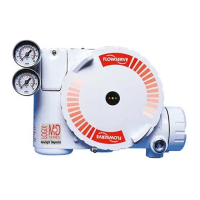
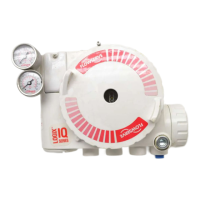
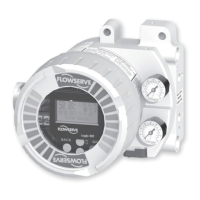
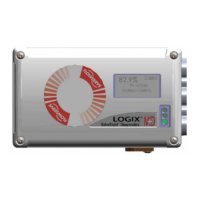
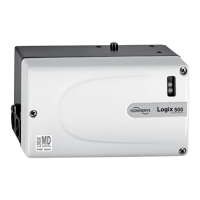
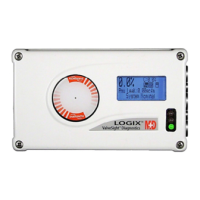
Flowserve Logix 3200MD Plus - User Manual

Flowserve Logix 3200MD Plus
61 pages
Print Icon
To Next Page IconTo Next Page
Loading...
Logix
®
3200MD+
Digital Positioners
FCD LGENIM0110-0 05/16
Installation
Operation
Maintenance
Manual
USER INSTRUCTIONS

Table of Contents

Questions and Answers

  • R
    rhodesmariaJul 27, 2025
    What to do if my Flowserve Valve Positioners position is driven fully open or closed?
    • R
      Rhonda WilsonJul 27, 2025
      If the position is driven fully open or closed and not responding, perform a stroke calibration (Quick-Cal). Verify hardware connections of the inner-loop hall sensor. Check ATO (Air-to-open) and ATC (Air-to-Close) settings and recalibrate using Quick-Cal to apply settings. Also, verify ATO/ATC actuator tubing. Consider replacing the electro-pneumatic converter or adjusting the inner-loop to see if proper control resumes.
  • Y
    Yvonne RossAug 1, 2025
    Why Flowserve Valve Positioners valve position reading is not what is expected?
    • D
      Derek CurryAug 1, 2025
      If the valve position reading is not as expected, reposition the stem position sensor if it's mounted off by 180 degrees. Perform a stroke calibration (Quick-Cal). Verify tight shutoff settings and check if custom characterization or soft-stop limits are active.
  • D
    Dylan HerringAug 6, 2025
    Why is my Flowserve Valve Positioners unit not responding to analog commands?
    • V
      Vincent RiosAug 6, 2025
      If the unit isn't responding to analog commands, it might be in digital command mode. Switch to analog command mode using the procedure outlined in Section 22.3 Command Source Reset, use the ValveSight® DTM, or use a handheld communicator. Also, check for any errors that occurred during calibration and correct them.
  • L
    Linda JacksonAug 11, 2025
    How to fix sticking or hunting operation of the Flowserve Valve Positioners?
    • C
      Chad WoodsAug 11, 2025
      To address sticking or hunting, check the air supply for proper filtering and adherence to ISA specifications ISA-7.0.01 due to possible contamination of the electro-pneumatic converter. Lower proportional gain settings if control tuning parameters are incorrect. Enable the stability DIP switch on the local interface and recalibrate if packing friction is high; if the problem persists, adjust the pressure control window with a handheld communicator or ValveSight® and recalibrate. Additionally, disassemble and clean the spool valve if it is corroded or dirty.
  • J
    Joshua RiveraAug 16, 2025
    Why Flowserve Valve Positioners has erratic communications?
    • C
      Christopher SmithAug 17, 2025
      Erratic communications can be due to several factors. Ensure the current source bandwidth is limited to 25Hz, with a maximum allowable current source rate of change of 924 mA per second. Check the cable size, length, and capacitance. Verify that the laptop battery is not low if using a HART modem connected to a PC RS-232 port. Confirm you're using a HART-compatible I.S. barrier. If the current source is stripping the HART signal, use a 250? resistor and a 22 µF capacitor to create a HART filter according to the schematic: 22 µF 250? ? To Logix® HART Control System Comm Device.
  • C
    Casey CrosbyAug 21, 2025
    What to do if no LED is blinking on Flowserve Valve Positioners?
    • D
      dennis61Aug 21, 2025
      If no LED is blinking, verify the current source supplies at least 3,8 mA. Also, verify the voltage source supplies at least 10VDC. Check the wiring for correct polarity.

Summary

USER INSTRUCTIONS

Installation

Covers the process of setting up the Logix 3200MD+ digital positioner.

Operation

Details how to use and control the Logix 3200MD+ digital positioner.

Maintenance Manual

Provides guidelines for maintaining the Logix 3200MD+ digital positioner.

SCOPE OF MANUAL

INTENDED USE

PRODUCT IDENTIFICATION

SAFETY

DANGER, CAUTION, NOTE Indicators

Explains the meaning of safety alert symbols used in the manual.

PRINCIPLES OF OPERATION

BASIC OPERATION

Covers the fundamental operational aspects of the digital positioner.

COMMAND INPUT AND FINAL COMMAND

Describes how input signals are processed to determine final valve position.

OUTER LOOP

Details the outer-loop stage of the stem-positioning algorithm.

INNER LOOP

Describes the inner-loop control mechanism for precise position adjustment.

SPECIFICATIONS

INPUT SIGNAL

Specifies the electrical input requirements for the positioner.

PNEUMATIC OUTPUT

Details the air output capabilities of the positioner.

AIR SUPPLY

Outlines the requirements for the compressed air supply.

HAZARDOUS AREA CERTIFICATIONS

North America (FM;CSA)

Hazardous location certifications based on FM and CSA standards.

ATEX and IECEx

Hazardous location certifications based on ATEX and IECEx standards.

MOUNTING AND INSTALLING

MOUNTING TO MARK ONE LINEAR VALVES

Step-by-step guide for mounting to Mark One linear valves.

MOUNTING TO STANDARD VALTEK ROTARY VALVES

Instructions for mounting to Valtek rotary valves.

OPTIONAL VALTEK ROTARY MOUNTING PROCEDURE

Details an alternative mounting procedure for Valtek rotary valves.

MOUNTING TO ROTARY NAMUR (AUTOMAX) VALVES

Instructions for mounting to rotary NAMUR (AutoMax) valves.

TUBING

DETERMINE AIR ACTION

Explains how to determine and set the valve's air action.

CONNECT SUPPLY PORT

Instructions for connecting the air supply port to the positioner.

ELECTRICAL CONNECTIONS

ELECTRICAL TERMINALS

Identifies and explains the function of the positioner's electrical terminals.

COMMAND INPUT (4-20 MA) CONNECTION

Details how to connect the 4-20 mA command signal.

COMPLIANCE VOLTAGE

Explains the voltage requirements for the current loop.

Conduit and Grounding

Guidelines for proper conduit and earth grounding connections.

MULTI-FUNCTION CARD (AO, DO, DI)

Analog Output (AO)

Explains how to configure the card for a 4-20 mA analog output.

Discrete Output (DO)

Describes how to configure the card for a discrete output function.

Discrete Input (DI)

Describes how to configure the card for a discrete input function.

STARTUP

QUICK START INSTRUCTIONS

A simplified procedure for initial setup and calibration.

LOCAL USER INTERFACE OVERVIEW

Describes the buttons, LEDs, and LCD for local control.

Configuration Switch Settings

Details how to set the DIP switches for desired operation.

Stroke Calibration

Procedure for determining valve positions and tuning gains.

HART COMMUNICATION

ValveSight DTM

Information on the diagnostic software for positioner configuration.

Changing HART Versions

Procedure to switch between HART communication protocols.

MODEL FEATURES

MD+ Positioner Diagnostic Levels

Describes the three diagnostic levels: Standard, Advanced, Pro.

Valvesight DTM Diagnostic Levels

Explains the diagnostic levels available through the DTM.

REMOTE MOUNT

Remote Mount Operation

Explains the use and function of the remote mount option.

POSITIONER MAINTENANCE

Scheduled Maintenance

Recommendations for routine maintenance tasks.

Required Tools and Equipment

Lists necessary tools for positioner maintenance.

Replacing a Main Board

Steps for replacing the main circuit board.

Replacing and Cleaning a Spool Valve

Procedure for replacing or cleaning the spool valve assembly.

TROUBLESHOOTING

Troubleshooting Guide

A table listing common failures, causes, and corrective actions.

Status Code Index

Reference for status codes indicating positioner conditions.

Status Code Descriptions

Detailed explanations of various status codes and their solutions.

JOG COMMAND MODE

Describes the status code for local override mode.

Help From Flowserve

Returning the 3200 MD+ Positioner for Service

Procedure for returning the unit for repair or service.

POSITIONER DIMENSIONS

HOW TO ORDER

Positioners

Details the configuration options for ordering positioners.

SPARE PARTS KITS

Mounting Kits

Flowserve Logix 3200MD Plus Specifications

General IconGeneral
Output SignalPneumatic
Communication ProtocolHART
TypeDigital Positioner
Input Signal4-20 mA, HART
Power Supply10.5 to 32 VDC
Temperature Range-40°C to 85°C (-40°F to 185°F)
Enclosure RatingIP66/NEMA 4X
Hazardous Area CertificationATEX, IECEx, FM, CSA
MountingNAMUR bracket (standard), integral mount to most actuators

Related product manuals