EasyManua.ls Logo

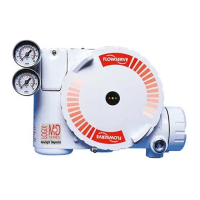
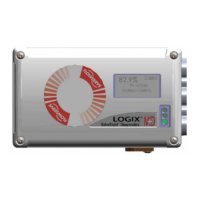
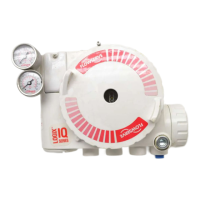
Flowserve Logix 420 - User Manual

Flowserve Logix 420
44 pages
To Next Page IconTo Next Page
Loading...
Experience In Motion
Installation
Operation
Maintenance
Safety Manual
USER INSTRUCTIONS
Logix
®
420
Digital Positioner
FCD LGENIM0106-07-AQ– 10/15

Table of Contents

Questions and Answers

Flowserve Logix 420 Specifications

General IconGeneral
BrandFlowserve
ModelLogix 420
CategoryValve Positioners
LanguageEnglish

Summary

General Information

Using This Document

Guidance on how to use the manual for installation, operation, and maintenance.

Terms Concerning Safety

Defines safety terms like DANGER, CAUTION, and NOTE for hazard identification.

Protective Clothing

Specifies personal protective equipment requirements when working with the positioner.

Qualified Personnel

Defines personnel qualified to perform work, emphasizing training and authorization.

Valve and Actuator Variations

Notes that instructions may not cover all product variations or installation examples.

Spare Parts

Emphasizes using only original spare parts and checking stored items.

Service; Repair

Highlights risks of modifying product, using non-factory parts, or incorrect procedures.

Principles of Operation

Basic Operation

Overview of the Logix 420 digital positioner as a two-wire 4-20 mA input device.

HART

Explains HART communication protocol and its use for command signals.

Position Definition

Defines valve position at 0% (closed) and 100% (open) for analog/digital sources.

Command Input and Final Command

Describes how input signals are processed through characterization and limit modifiers.

Outer Loop

Details the two-stage algorithm: inner-loop (pilot relay) and outer-loop (stem position control).

Inner Loop

Explains the inner-loop control mechanism involving hall-effect sensors and piezo valve pressure modulators.

Detailed Sequence of Positioner Operations

Provides an example sequence of positioner operation based on specific configuration settings.

Inner Loop Offset

Defines the Inner Loop Offset as the balanced state for holding valve position.

Specifications

Input Signal

Details electrical input signal specifications, including range, voltage, and resistance.

Air Supply

Specifies requirements for air supply pressure, quality, and consumption.

Physical Specifications

Lists physical attributes like housing material and weight.

Pneumatic Output

Provides specifications for output pressure range and air capacity.

Stroke Output

Defines feedback shaft rotation specifications for linear applications.

Temperature

Specifies operating, transport, and storage temperature ranges.

Positioner Performance Characteristics

Lists performance metrics like resolution, linearity, repeatability, and hysteresis.

ValveSight DTM Software Specifications

Details computer and port requirements for ValveSight DTM.

Hazardous Area Certifications

ATEX Certifications

Lists ATEX explosion proof/flame proof and intrinsically safe certifications and entity parameters.

IECEx Certifications

Lists IECEx explosion proof/flame proof and intrinsically safe certifications and entity parameters.

North America (cFMus) Certifications

Lists cFMus explosion proof and intrinsically safe certifications and entity parameters.

Special Conditions for Safe Use

Provides critical safety precautions for hazardous area installations.

Storage and Unpacking

Storage

Provides guidelines for storing products in a clean, dry environment to prevent corrosion.

Unpacking

Instructions for checking packing lists and handling shipping damage.

Pre-installation Inspection

Details checks for shaft, plugs, covers, and cleaning before installation.

Mounting and Installation

Direct Mounting to Valtek GS and FlowTop

Step-by-step instructions for directly mounting the positioner to Valtek GS and FlowTop actuators.

Mounting to NAMUR Valves

Instructions for mounting the positioner onto NAMUR valves using appropriate hardware.

Tubing

Determine Air Action

Guides determining air action (Air-to-Open/Close) based on actuator tubing.

Connect Supply Port

Details connecting the supply port, emphasizing air quality and regulators.

Vented Design

Explains the vented design and maximum allowable back pressure for exhaust ports.

Purging

Describes purging to supply non-pressurized sides of single-acting actuators with instrument air.

Electrical Connections

Electrical Terminals

Identifies electrical terminals including housing earth, HART, and 4-20 mA input.

Command Input (4-20 mA) Connection

Details connecting the 4-20 mA input signal, including polarity and HART filter requirements.

Compliance Voltage

Explains output compliance voltage and calculation for loop support.

Cable Requirements

Specifies cable capacitance and length restrictions for HART communication signal integrity.

Intrinsically Safe Barriers

Guidance on selecting HART-compatible intrinsically safe barriers.

Grounding and Conduit

Details grounding terminal use and electrical conduit requirements.

Electromagnetic Compatibility

Discusses EMC design and precautions for high EM field strengths and radios.

Connections for Intrinsically Safe Operation

Refers to hazardous area certifications for intrinsically safe connections.

Startup

Quick Start Instructions

Provides a simple procedure for calibrating and tuning the positioner.

Local User Interface Overview

Describes the components of the local user interface: switches, buttons, LEDs, and display.

Configuration Switch Settings

Explains how to set configuration switches for Air Action, Signal at Closed, and Characterization.

Air Action Switch

Details setting the Air Action switch to match valve/actuator tubing connection.

Signal at Closed Switch

Explains setting the switch for 4 mA or 20 mA signal at closed position.

Characterization Switch

Describes using the switch to match input command with valve flow characteristics.

Auto Tune Switch

Enables automatic tuning during stroke calibration or uses preset tuning parameters.

Quick Calibration Switch

Selects between Auto and Jog calibration modes for valve assembly.

Valve Stability Switch

Adjusts position control for low or high friction control valves.

Spare Switch

Notes potential control of special features by this switch.

Stroke Calibration

Initiates automatic calibration to determine valve positions and set gains.

Quick Calibration Switch - Jog

Procedure for Jog calibration when valve has no internal stop at full open.

Tuning Options

Explains Quick-Cal Custom Gains and Standard Preset Gains options.

Aborting a Quick-Cal

Describes how to abort a Quick-Cal and retain previous settings.

On Line Stroke Calibration Adjustments

Mentions adjusting calibration with minimal valve movement.

Positioner Functions (No Display Required)

Live Manual Tuning (Adjusting the Gain)

Adjusts gain using the Selectable GAIN Switch for faster response or stability.

Local Control Of Valve Position

Allows manual adjustment of valve position using interface buttons.

Command Source Reset

Resets the command source to analog from digital mode.

Factory Reset

Resets all variables, calibration, and configuration to factory defaults.

Positioner Functions (LCD Display)

Main Display View

Shows key status parameters: Position, Command, Status Message, Alarms, and Icons.

Position and Command

Displays current position and final command, adjusted by characterization, MPC, or Soft Limits.

Viewing Version Numbers

Details how to check software version numbers using Up/Down buttons.

Scrolling Status Messages

Provides information like ambient temperature and DIP switch override status.

Current Alarm Status

Shows the highest priority alarm, warning, alert, or status indication.

Status Icons

Continuously displays status icons for command source, pressure control, and HART communication.

Adjusting the Display Contrast

Instructions for adjusting the display contrast using interface buttons.

Menu Overview

Status

Overview of Status menu items: Command, Position, Temperature, Valve Cycles, and Travel.

Alerts and Alarms

Overview of Alerts and Alarms menu items: Current Alarms and Event History.

Calibration

Overview of Calibration menu items: Stroke/Quick, Command Input, and Calibration Dates.

Configuration

Overview of Configuration menu items: Tuning, Characterization, Pressure Control, Soft Limits, etc.

Language

Lists available language options for the positioner display menu.

Menu Features

10.3.1 Status

Details the Status menu, showing command, position, temperature, valve cycles, and travel.

10.3.2 Alerts and Alarms

Explains the Alerts and Alarms menu for current and past events.

10.2.3 Partial Stroke Test

Provides ability to start a Partial Stroke Test (PST) and view results.

10.3.4 Calibration

Allows calibration of positioner sensors, including stroke and command input.

10.3.5 Configuration (Positioner Tuning)

Allows manual adjustment of tuning parameters like P-Gain, I-Gain, and D-Gain.

10.3.6 Configuration (Characterization)

Enables matching input command with valve flow characteristics using various curves.

10.3.7 Configuration (Pressure Control)

Allows changing the size of the pressure control window for high friction valves.

10.3.8 Configuration (Soft Limits and Shutoff)

Limits valve movement and enables tight shutoff using soft limits or MPC.

10.3.9 Configuration (User Preferences)

Allows formatting display information, including units and language.

10.3.10 Configuration (Burst Mode)

Enables continuous HART information transmission.

10.2.11 Configuration (Positioner Revs)

Displays software, build, hardware, CPU, and HART revisions.

10.3.12 Configuration (Factory Reset)

Resets all variables and calibration to factory defaults.

HART Communication

ValveSight DTM

Describes the custom Device Type Manager for ValveSight diagnostics.

HART 475 Handheld Communicator

Confirms support for the HART 475 Handheld Communicator.

Burst Mode

Explains Burst Mode availability with handheld devices.

Changing HART Versions

Procedure to change the positioner from HART 6 to HART 7 using DIP switches.

Requirements for Safety Integrity

Fail Safe State

Defines the fail-safe state as relay valve at <5% stroke with output venting.

Safety Function

Describes the positioner moving to fail-safe state upon removal of analog input power.

Fail Safe State Response Time

Details testing valve assembly response time and typical times for de-energizing.

Installation

Ensures proper installation and tubing configuration for desired fail-safe state.

Required Configuration Settings

Lists essential settable options for safety integrity: input calibration, PST settings, interface lock.

Maximum Achievable SIL

Discusses SIL suitability for simplex and redundant configurations.

Reliability data

Refers to FMEDA report for failure rates and modes for SIL verification.

Lifetime limits

States the expected lifetime of the positioner is approximately 10 years.

Proof Testing

Outlines objective and steps for proof testing to detect failures.

Maintenance

Refers to routine maintenance procedures in section 13.1.

Repair and replacement

Describes reporting failures and replacing faulty components or returning for service.

Training Requirements

Specifies that activities should be performed by trained service technicians.

Maintenance and Repair

Scheduled Maintenance

Recommends regular maintenance of supply gas filters and inspection for contamination.

Required Tools and Equipment

Lists tools needed for positioner maintenance and component replacement.

Replacing a Main Board

Provides step-by-step instructions for removal and installation of the main board.

Troubleshooting

Troubleshooting Guide

A table correlating failures, probable causes, and corrective actions.

Status Code Index

Lists status codes, their descriptions, and corresponding blink codes.

Status Code Descriptions

Provides detailed descriptions and possible solutions for various status codes (GGGG to GRGG).

Status Code Descriptions

Provides detailed descriptions and possible solutions for various status codes (GRGY to YGGG).

Status Code Descriptions

Provides detailed descriptions and possible solutions for various status codes (YGGG to RGGG).

Status Code Descriptions

Provides detailed descriptions and possible solutions for various status codes (RGGR to RGRG).

Status Code Descriptions

Provides detailed descriptions and possible solutions for various status codes (RGRR to RRYR).

Status Code Descriptions

Provides detailed descriptions and possible solutions for various status codes (RRRY to RRRR).

Help From Flowserve

Phone Support

Offers over-the-phone troubleshooting assistance for positioner issues.

Returning the 420 Positioner for Service

Outlines steps for returning a unit for service, including RGA forms and packaging.

Positioner Dimensions

Positioner Dimensions

Provides detailed overall dimensions and weight specifications for the positioner.

How to Order

Positioners

Details configuration options and codes for ordering Logix 420 positioners.

Spare Parts Kits

Lists part numbers for common spare parts kits.

Mounting Kits

Lists part numbers for available mounting kits.

Related product manuals