EasyManua.ls Logo

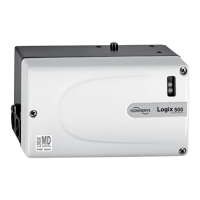
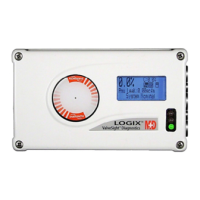
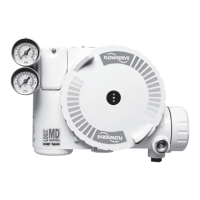
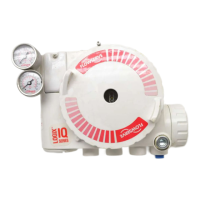
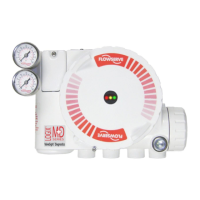
Flowserve Logix 520MD+ - User Manual

Flowserve Logix 520MD+
84 pages
Print Icon
To Next Page IconTo Next Page
Loading...
Experience In Motion
USER INSTRUCTIONS
Installation
Operation
Maintenance
Logix
®
520MD+ and 510+
Digital Positioners
FCD LGENIM0105-15-AQ – (05/16)

Table of Contents

Questions and Answers

  • J
    jordanriddleAug 15, 2025
    What to do if Flowserve Logix 520MD+ are stuck fully open or closed?
    • S
      Susan EllisAug 15, 2025
      If your Flowserve Valve Positioner's position is fully open or closed and doesn't respond to commands, here's what to check: 1. Perform stroke calibration (Quick-Cal). 2. Verify hardware connections of the inner-loop hall sensor. 3. Check ATO (Air-to-open) and ATC (Air-to-Close) settings and recalibrate using Quick-Cal to apply settings. 4. Verify ATO/ATC actuator tubing. 5. Consider replacing the electro-pneumatic converter. 6. Adjust the inner-loop offset to see if proper control resumes. Possible causes are uncalibrated stroke, disconnected inner-loop hall sensor, wrong air action entered in software, backward actuator tubing, malfunctioning electro-pneumatic converter, or incorrect inner-loop offset.
  • G
    Gregory McleanAug 19, 2025
    Why is the Flowserve Logix 520MD+ Valve Positioners valve position reading incorrect?
    • D
      Dana GrossAug 19, 2025
      If the valve position reading on your Flowserve Valve Positioners is not what you expect, consider these potential causes and solutions: * Reposition the stem position sensor if it's mounted 180 degrees off. * Perform a Stroke calibration (Quick-Cal). * Verify Tight Shutoff settings. * Verify custom characterization or soft-stop limits. This issue may arise due to incorrect stem position sensor mounting, uncalibrated stroke, active Tight Shutoff MPC (Minimum position cutoff), or active custom characterization or soft stops.
  • N
    Nicholas WrightAug 22, 2025
    How to fix sticking or hunting operation of Flowserve Logix 520MD+?
    • E
      Erin GarciaAug 22, 2025
      If your Flowserve Valve Positioner is sticking or hunting, here's what you can do: * Check the air supply for proper filtering and compliance with ISA specifications ISA-7.0.01. * Lower proportional gain settings. * Enable the stability DIP switch on the local interface and recalibrate. If the problem persists, adjust the pressure control window with a handheld communicator or ValveSight and recalibrate. This behavior may be due to contamination of the electro-pneumatic converter, incorrect control tuning parameters, high packing friction, or a corroded or dirty spool valve.
  • M
    Michael SuarezAug 25, 2025
    What to do if Flowserve Logix 520MD+ unit does not respond to analog commands?
    • A
      Amanda MartinezAug 26, 2025
      If your Flowserve Valve Positioners unit isn't responding to analog commands, here's what you should check: * Switch to analog command mode using the procedure outlined in Section 9.3 Command Source Reset, use the ValveSight DTM, or use a handheld communicator. * Check Status Codes, correct any calibration errors, and then recalibrate. This issue may occur because the positioner is in digital command mode or due to an error during calibration.
  • J
    Jenny SmithSep 1, 2025
    What causes low or high supply pressure warning in Flowserve Valve Positioners?
    • S
      Sydney KellerSep 1, 2025
      If you're getting a low or high supply pressure warning on your Flowserve Valve Positioners: * For low supply pressure: Regulate the supply pressure at the positioner above 1.3 bar (19 PSI). Ensure the system air/gas supply is adequate. Repair any kinked or restricted supply tubing. Check for pneumatic leaks in the actuator and actuator tubing. Recalibrate pressure sensors. Check the pressure sensor board connections and replace the pressure sensor board if necessary. * For high supply pressure: Regulate the supply pressure at the positioner below the maximum limit recommended for your actuator. Low supply pressure can cause poor valve response or positioner failure, while supply pressure exceeding the maximum rating on the actuator can be a potential hazard.
  • M
    Michael AbbottSep 4, 2025
    Why Flowserve Logix 520MD+ Valve Positioners valve closed or opened too far?
    • B
      Bonnie CalderonSep 4, 2025
      If the valve on your Flowserve Valve Positioners closed or opened farther than it did at the last calibration by 0.5%, check the feedback arm linkage and ensure the valve stem connection is tight. Recalibrate the stroke. If the process cannot be interrupted a service technician may be able to adjust the calibration. The description of the problem is: the valve was in use, it closed or opened farther than it did at the last calibration by 0.5%.
  • M
    Michael HernandezSep 7, 2025
    How to troubleshoot Flowserve Logix 520MD+ Valve Positioners when no LED is blinking?
    • T
      tsloanSep 7, 2025
      If no LED is blinking on your Flowserve Valve Positioners, verify the following: 1. Ensure the current source supplies at least 3.8 mA. 2. Ensure the voltage source supplies at least 10VDC. 3. Check wiring for correct polarity. Possible causes include a current source that is too low, a voltage of current source that is too low, or incorrect wiring polarity.
  • J
    jamesthomasSep 12, 2025
    What does software error warning mean on Flowserve Valve Positioners?
    • W
      Walter SanchezSep 12, 2025
      If you receive a software error warning on your Flowserve Valve Positioners, which may be caused by transient conditions, and if the error persists, replace the main board. The error may be due to an oscillator fault, position sensor ADC failure, supply voltage error, reference voltage error, shunt voltage error, or piezo voltage error.
  • A
    anita09Nov 27, 2025
    Why are my Flowserve Logix 520MD+ communications erratic?
    • K
      Kenneth TorresNov 27, 2025
      If you're experiencing erratic communications with your Flowserve Valve Positioners, consider the following: 1. Ensure the current source bandwidth is limited to 25Hz; the maximum allowable current source rate of change is 924 mA per second. 2. Check cable size, length, and capacitance. See Section 7 ELECTRICAL CONNECTIONS. 3. Verify the laptop battery is not low if using a HART modem connected to a PC RS-232 port. 4. Ensure you are using a HART compatible I.S. barrier. 5. If the current source is stripping (filtering) the HART signal, use a 250? resistor and a 22 µF capacitor to create a HART filter according to the schematic: 250? 22 ?F HART Control System Comm Device. Possible causes include an unlimited current source bandwidth, exceeding maximum cable length or impedance, insuf...

Summary

General Information

Terms Concerning Safety

Definition of safety terms like DANGER, CAUTION, and NOTE for hazard communication.

Service; Repair

Highlights safety during service/repair and consequences of modification.

Basic Operation

Overview of the Logix 500+ digital positioner's function and capabilities.

Specifications

Input Signal Specifications

Details input signal specifications, power supply, and resistance.

Pneumatic Output Specifications

Specifies output pressure range and air capacity for different relays.

Air Supply Requirements

Outlines air supply requirements, quality, and consumption.

Analog Output Specifications

Specifications for the 4-20 mA analog output function on the Multi-Function Card.

Positioner Performance Characteristics

Performance metrics like resolution, linearity, repeatability, and hysteresis.

Hazardous Area Certifications

Mounting and Installing

Mounting to Mark One Linear Valves

Step-by-step guide for mounting the positioner to Mark I Linear Valves.

Mounting to FlowTop Linear Valves

Instructions for mounting the positioner to FlowTop Linear Valves.

Mounting to Standard Valtek Rotary Valves

Guide for mounting the positioner to standard Valtek rotary valves.

Mounting to Maxflo Rotary Valves

Steps for mounting the positioner to Maxflo rotary valves.

Mounting to Rotary NAMUR (AutoMax) Valves

Procedure for mounting the positioner to Rotary NAMUR (AutoMax) valves.

Mounting to a Linear NAMUR Pneumatic Actuator

Mounting instructions for the positioner to linear NAMUR pneumatic actuators.

Tubing Connections

Determine Air Action

How to determine and set air action (open/close) based on actuator tubing.

Connect Supply Port

Guidance on connecting the air supply port and filter recommendations.

Electrical Connections

Command Input (4-20 mA) Connection

Connecting the 4-20 mA current source for command input.

Compliance Voltage Requirements

Explains output compliance voltage requirements for the current loop.

Cable Requirements for HART

Details on HART communication cable length and capacitance.

Intrinsically Safe Barriers

Guidance on selecting HART-compatible intrinsically safe barriers.

Multi-Function Card Functions

Overview of the Multi-Function Card's capabilities: AO, DO, DI.

Limit Switch Wiring

Wiring instructions for connecting limit switches.

Startup Procedures

Quick Start Instructions

Basic steps for initial positioner setup and calibration.

Local User Interface Overview

Description of the local interface buttons, LEDs, and display.

Configuration Switch Settings

Setting DIP switches for desired control options.

Air Action Switch Configuration

Setting the air action based on valve/actuator tubing.

Characterization Switch Function

Matching valve flow characteristics with input command using curves.

Stroke Calibration Procedure

Procedure for performing automatic stroke calibration.

Positioner Functions (No Display Required)

Factory Reset Procedure

Resetting all variables to factory defaults, requires recalibration.

Analog Input Calibration

Defining mA current values for 0% and 100% commands.

Positioner Functions (LCD Display)

Calibration Menu

Menu for calibrating various positioner sensors.

Characterization Configuration

Changing characterization curves to match valve flow.

Soft Limits and Shutoff Configuration

Setting limits to restrict valve movement or ensure tight shutoff.

Factory Reset Configuration

Resetting positioner variables to factory defaults, requires recalibration.

HART Communication

Multi-Function Card

Limit Switches

Requirements for Safety Integrity

Fail Safe State Definition

Defining fail-safe states for different relay types.

Safety Function

Positioner's fail-safe action upon loss of analog input power.

Installation for Safety Integrity

Importance of proper installation for achieving safety integrity.

Required Configuration Settings

Essential settings for achieving safety integrity.

Proof Testing Procedures

Objective and procedures for proof testing.

Maintenance and Repair

Installing a Limit Switch

Step-by-step guide for installing limit switches.

Troubleshooting Guide

Troubleshooting Table

Table of failures, probable causes, and corrective actions.

How to Order

Positioner Configurations

Configuration table for ordering different positioner models.

Flowserve Logix 520MD+ Specifications

General IconGeneral
TypeDigital Valve Positioner
Input Signal4-20 mA
Output SignalPneumatic
Communication ProtocolHART
Enclosure RatingIP66/NEMA 4X
Housing MaterialAluminum
CertificationsATEX, IECEx, CSA, FM
Supply Pressure1.4-7 bar (20-100 psi)
Air ConsumptionTypically less than 0.12 Nm3/h at steady state
Operating Temperature-40 to 85 °C
MountingDirect mounting on linear and rotary actuators

Related product manuals