EasyManua.ls Logo

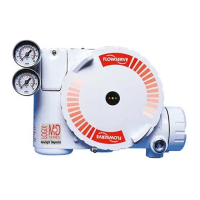
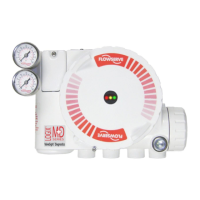
Flowserve Logix 3200MD - Mounting and Installation; Mounting to Valtek Linear Valves

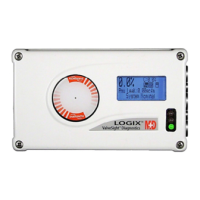
Flowserve Logix 3200MD
40 pages
Print Icon
To Next Page IconTo Next Page
To Previous Page IconTo Previous Page
Loading...
8
Figure 3: Lin
5 Mou
5.1 Mou
n
Valv
e
To mount a L
Mark One val
below. The f
o
9
/
16
in. op
e
and small
e
7
/
16
in. bo
x
3
/
8
in. ope
n
1. Remove
w
Insert pin i
n
on stroke l
e
their corre
s
the unthre
a
arm. Rein
s
follower ar
m
2. Slide the
d
over the fl
a
of the pos
i
the custo
m
washer o
v
the nut.
ar Mark One
C
nting an
d
n
ting to Val
t
e
s
o
gix 3200MD
p
v
e, refer to Fig
o
llowing tools
a
e
n-end wrench
e
r)
x
wrench
n
-end wrench
w
asher and nut
f
n
to the appropr
e
ngth. The str
o
s
ponding holes
a
ded end of th
e
s
tall lock wash
e
m
assembly.
d
ouble-D slot i
n
a
ts on the posi
i
tioner. Make
s
m
er interface si
v
er the threads
C
ontrol Valve
M
d
Installati
o
t
ek Linea
r
M
p
ositioner to a
V
ure 3 and pro
c
a
re required:
(or
1
/
2
in. for s
p
f
rom follower pi
n
i
ate hole in foll
o
o
ke lengths are
in the follower
a
e
pin is on the s
t
e
r and tighten n
u
n
the follower
a
tion feedback
s
s
ure the arm i
s
de of the posit
on the shaft a
n
Us
e
M
ountin
g
o
n
M
ark One
V
altek linear
c
eed as outline
d
p
ud sizes 2.88
n
assembly.
o
wer arm, base
d
stamped next t
o
a
rms. Make su
t
amped side of
t
u
t to complete
a
rm assembly
s
haft in the ba
c
s
pointing towa
r
ioner. Slide lo
c
n
d tighten dow
e
r instructions
d
d
o
re
t
he
c
k
r
d
c
k
n
3. Alig
the
4. Scr
e
mo
u
app
5. Slip
the
mo
u
the
6. Ins
e
7. Po
s
cla
m
ar
m
Le
a
8. Slid
stro
stro
9. Ce
n
foll
o
10. Alig
cla
m
Digital Positi
o
g
n the bracket
w
positioner. F
a
e
w one mounti
n
u
nting pad nea
r
p
roximately
3
/
16
i
the large end
o
back of the po
s
u
nting bolt. Sli
d
mounting bolt
a
e
rt the lower m
s
ition the take-
o
m
p mounting p
a
m
bolting and in
a
ve bolts loose
.
e the appropri
a
ke length, over
ke lengths are
s
n
ter the take-o
f
o
wer pin.
g
n the take-off
a
m
p and tighten
o
ner 3200MD
w
ith the three
o
a
sten with ¼ in
.
n
g bolt into the
h
r
est the cylinde
r
i
n. from being fl
o
f the teardrop
s
s
itioned/bracket
d
e the small en
d
a
nd align the lo
w
ounting bolt a
n
o
ff arm mounti
n
ad. Apply Loc
t
sert through
w
.
a
te pin slot of th
e
the follower ar
m
s
tamped by ea
c
f
f arm on the r
o
a
rm with the t
o
bolting. Torq
u
LGENIM0059
-
flows
e
o
uter mountin
g
.
bolts.
h
ole on the yok
e
r
. Stop when t
h
ush with moun
t
s
haped mounti
n
assembly ove
r
d
of the teardro
p
w
er mounting h
o
n
d tighten the
b
n
g slot against
t
ite 222 to the
t
w
ashers into st
e
e
take-off arm,
b
m
pin. The ap
p
c
h pin slot.
o
lling sleeve of
o
p plane of the
u
e to 120 in.•l
b
-
04 09/11
e
rve.com
g
holes on
e
h
e bolt is
t
ing pad.
n
g hole in
r
the
p
under
o
le.
b
olting.
the stem
t
ake-off
e
m clamp.
b
ased on
p
ropriate
f
the
stem
b
.

Other manuals for Flowserve Logix 3200MD

Related product manuals