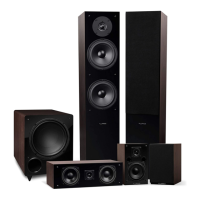
Fluance Ai61 Quick Start Guide
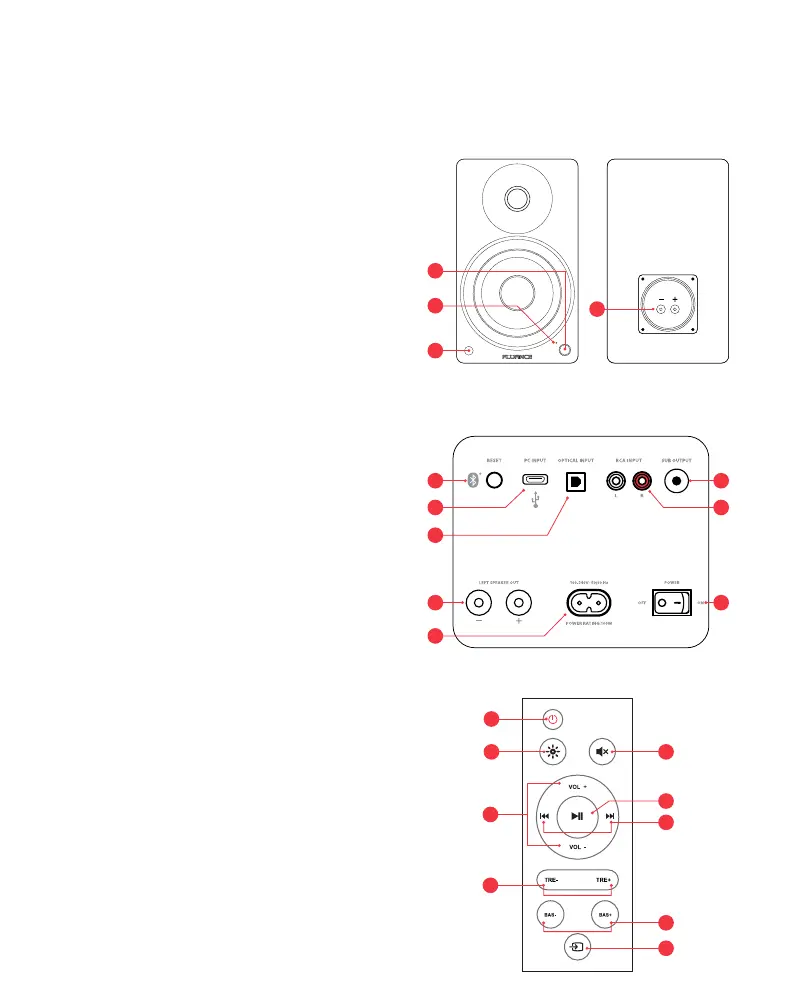
Front & Back Panel Layout
1. Control Knob
• Volume
• Input Selection
• Power ON/OFF
2. Source LED
• Blue (Solid) - Bluetooth
®
Paired
• Blue (Flashing) - Bluetooth
®
Pairing Mode
• Green (Solid) - RCA
• White (Solid) - Optical
• Purple (Solid) - USB
• Red (Solid) - Standby Mode
• Red (Flashing) - Mute
• Red (Flash x2) - Volume Set to Max
• Red (Flash x2) - Bass/Treb Set to -5 or +5
• Source Color: Blue/Green/White/Purple
(Flash x2) - Bass/Treb Set to 0
3. IR Sensor
4. Speaker Input
5. Bluetooth
®
Reset Pairing
6. USB Input (Audio Playback Only)
7. Optical Input
8. RCA Input
9. Subwoofer Output
10. Left Speaker Output
11. AC Input
12. Power Switch
Remote Control Layout
1. Power ON/OFF
2. LED Brightness - (100% > 25% > OFF)
3. Volume UP/DOWN
4. Treble UP/DOWN
5. Mute
6. Play/Pause & Bluetooth
®
Pairing Reset*
*To enable Bluetooth
®
Pairing Reset, press + hold for 3 seconds.
7. Forward/Back
8. Bass UP/DOWN
9. Source
1
2
4
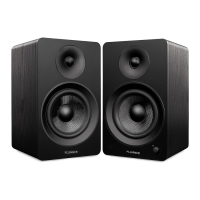
Passive SpeakerActive Speaker
3
Active Speaker (Back)
12
5
6
7
8
9
10
11
1
52
9
6
7
4
8
3


 To Next Page