Fluance Ai81 User Manual 7
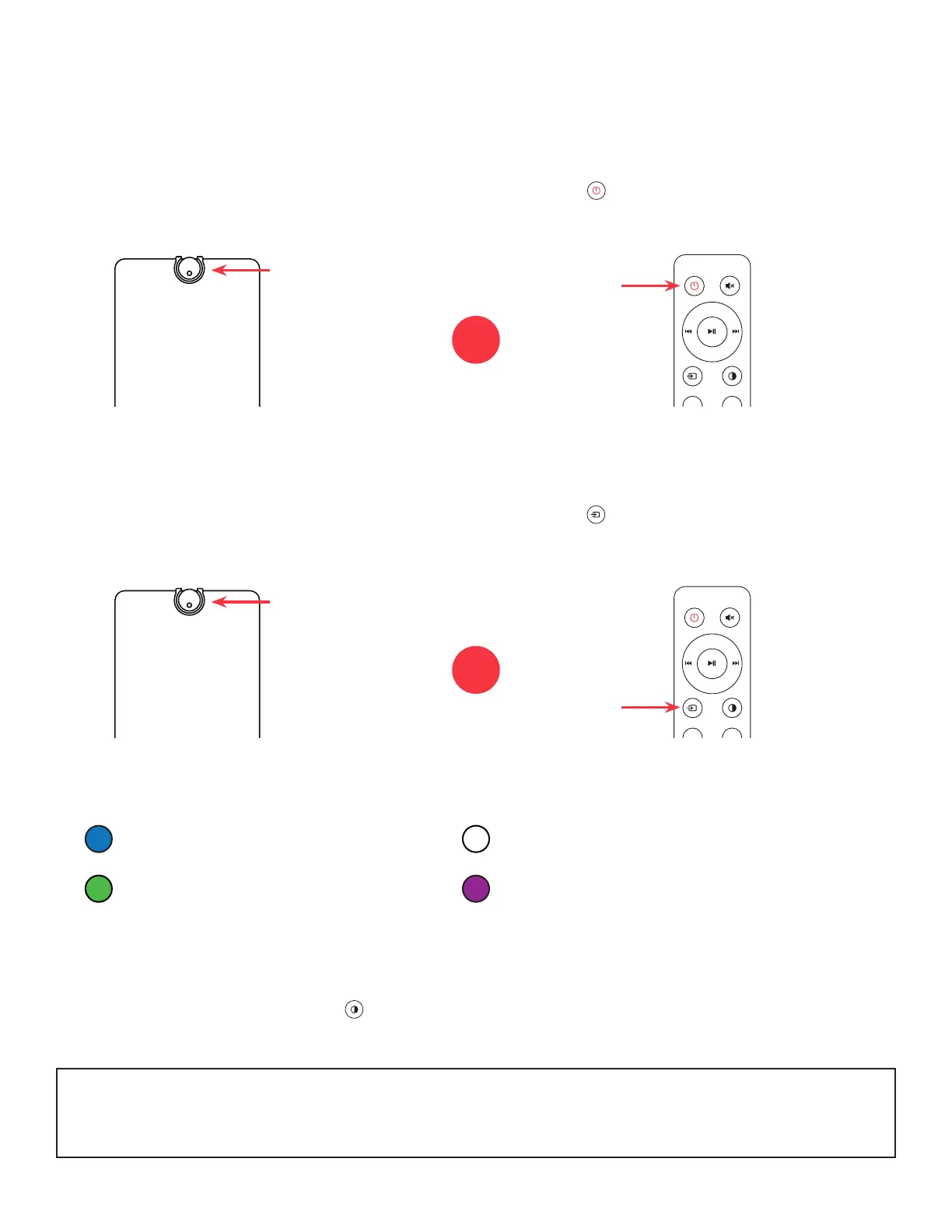
Press on the remote to cycle
through the audio inputs.
Press on the remote to turn the unit
on/off.
Turning On/Off Unit
Source Selection
Adjusting Source LED Brightness
Press the Control Knob to turn on the
unit. Hold to turn off the unit.
Press the Control Knob to cycle
through the audio inputs.
Use the LED Brightness button on the Remote to cycle between 100%, 25% and OFF
brightness levels.
The Source LED will show the below color for each source:
(Blue) Bluetooth
(Green) RCA 1 (Purple) RCA 2
(White) Optical
NOTE: When set to OFF, the LED will turn on for 5 seconds when power is turned on or
new Source is selected before turning off again.
VOL +
VOL -
VOL +
VOL -
OR
OR


 To Next Page