DSP-4000 Series
Users Manual
8-20
LAN Traffic Monitoring
Traffic tests are run through the optional DSP-LIA013 Channel/Traffic adapter’s
Monitor jack.
Monitors 10BASE-T or 100BASE-TX Ethernet traffic. Monitors pair 3,6 for either
polarity of traffic. Generates a positive polarity link pulse on pair 1,2. Generates
100BASE-TX link signals on pair 1, 2.
Auto-negotiates between 10BASE-T and 100BASE-TX. Monitors pair 3, 6 for
10BASE-T or 100BASE-TX link pulses. Generates Auto-Negotiation signals on
pair 1, 2.
Hub port capabilities test determines if a hub supports the following standards:
Auto-negotiation
10BASE-T
100BASE-TX
100BASE-T4
100BASE-TX full duplex
10BASE-T full duplex
Hub port locator blinks the link LED on a 10BASE-T, 10/100BASE-TX, or
100BASE-TX hub.
Tone Generator
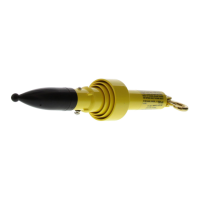
Generates a tone that can be detected by a tone probe, such as the Fluke Networks
140 A-Bug Tone Probe. The 2 kHz tone is generated on pair 1,2.
Serial Interface
Connector: DB9 (DTE male)
Baud rate: 1200 baud to 115,200 baud
Flow control: hardware, XON/XOFF, or none
Data format: 8 data bits, 1 stop bit, no parity
Printer formats: Epson, HP LaserJet, or Text Only (ASCII text)
Test results can be uploaded to a PC and software updates can be downloaded to
the test tool and remote using CableManager software.









 To Next Page