CERTIFIBER ENGLISH - 14
center, call:
USA: 1-888-99-FLUKE (1-888-993-5853)
Canada: 1-800-363-5853
Europe: +31-402-675-200
Beijing: 86 (10) 6512-3435
Japan: +81-3-3434-0181
Singapore: +65-738-5655
Anywhere in the world: +1-425-446-4519
For operating assistance in the USA, call 1-
800-283-5853.
Product Versions
To display the hardware and software ver-
sions of CERTIFIBER connect the units using a
duplex cable.
1. Turn the units on.
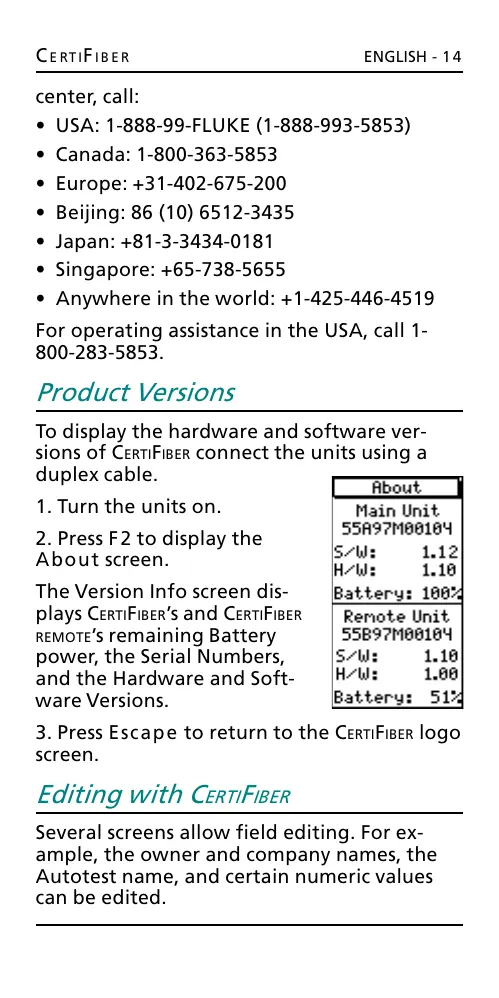
2. Press F2 to display the
About screen.
The Version Info screen dis-
plays CERTIFIBERs and CERTIFIBER
REMOTEs remaining Battery
power, the Serial Numbers,
and the Hardware and Soft-
ware Versions.
3. Press Escape to return to the CERTIFIBER logo
screen.
Editing with CERTIFIBER
Several screens allow field editing. For ex-
ample, the owner and company names, the
Autotest name, and certain numeric values
can be edited.
All manuals and user guides at all-guides.com










 To Next Page