CERTIFIBER ENGLISH - 15
An editable field contains up to 12 alphabetic
and special characters.
The following example shows you how to
edit a field.
1. Open a screen that contains an editable
field and press Edit to display the Edit
screen.
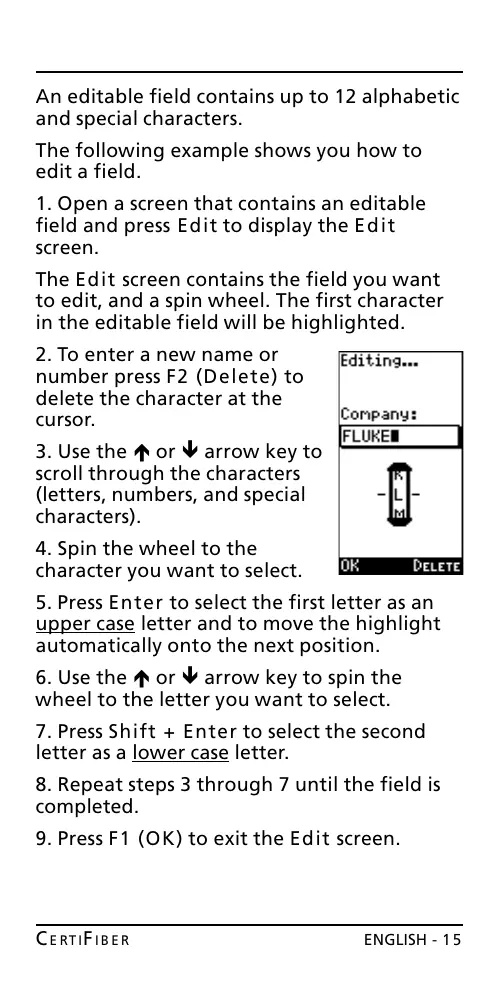
The Edit screen contains the field you want
to edit, and a spin wheel. The first character
in the editable field will be highlighted.
2. To enter a new name or
number press F2 (Delete) to
delete the character at the
cursor.
3. Use the é or ê arrow key to
scroll through the characters
(letters, numbers, and special
characters).
4. Spin the wheel to the
character you want to select.
5. Press Enter to select the first letter as an
upper case letter and to move the highlight
automatically onto the next position.
6. Use the é or ê arrow key to spin the
wheel to the letter you want to select.
7. Press Shift + Enter to select the second
letter as a lower case letter.
8. Repeat steps 3 through 7 until the field is
completed.
9. Press F1 (OK) to exit the Edit screen.
All manuals and user guides at all-guides.com










 To Next Page