CERTIFIBER ENGLISH - 31
Note
To ensure consistent accurate measurements,
the reference value must be set each calendar
day that CERTIFIBER is used. The reference value
expires each day at midnight.
Setting the Reference for Loopback
Mode
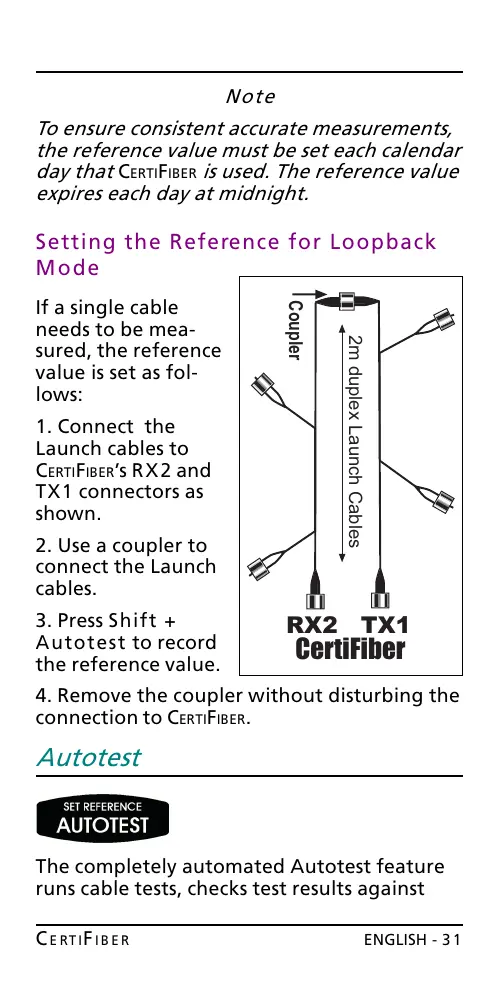
If a single cable
needs to be mea-
sured, the reference
value is set as fol-
lows:
1. Connect the
Launch cables to
CERTIFIBERs RX2 and
TX1 connectors as
shown.
2. Use a coupler to
connect the Launch
cables.
3. Press Shift +
Autotest to record
the reference value.
4. Remove the coupler without disturbing the
connection to CERTIFIBER.
Autotest
The completely automated Autotest feature
runs cable tests, checks test results against
2m duplex Launch Cables
CertiFiber
RX2 TX1
Coupler
All manuals and user guides at all-guides.com










 To Next Page