CERTIFIBER ENGLISH - 33
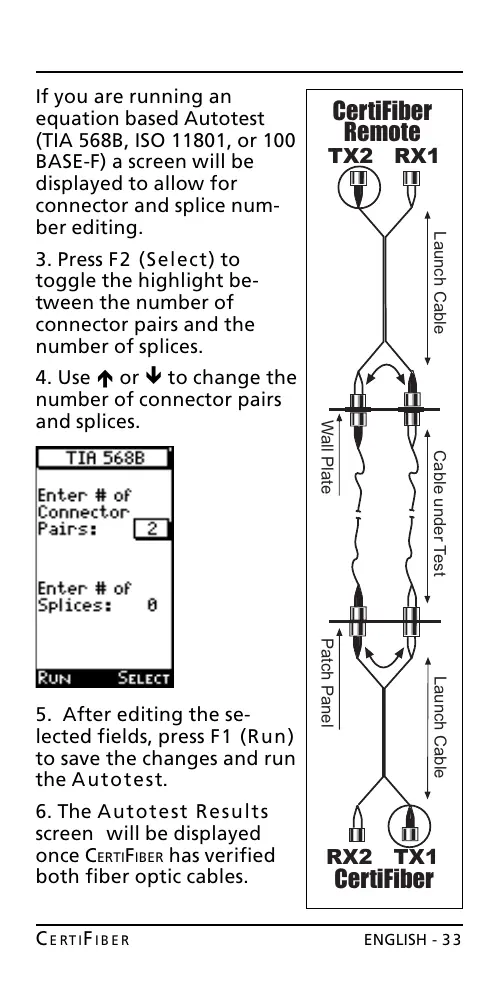
If you are running an
equation based Autotest
(TIA 568B, ISO 11801, or 100
BASE-F) a screen will be
displayed to allow for
connector and splice num-
ber editing.
3. Press F2 (Select) to
toggle the highlight be-
tween the number of
connector pairs and the
number of splices.
4. Use é or ê to change the
number of connector pairs
and splices.
5. After editing the se-
lected fields, press F1 (Run)
to save the changes and run
the Autotest.
6. The Autotest Results
screen will be displayed
once CERTIFIBER has verified
both fiber optic cables.
Launch Cable
Launch Cable
Patch Panel
Wall Plate
Cable under Test
CertiFiber
Remote
TX2 RX1
CertiFiber
RX2 TX1
All manuals and user guides at all-guides.com










 To Next Page