CERTIFIBER ENGLISH - 34
If you selected Two Way in the Test Mode
setup, a message will prompt you to switch
cables.
7. To continue the two way test, switch the
connectors that attach to the cable under test
as shown in the graphic.
Note
Do not switch the launch cable connectors
that are attached to the units.
8. Press F1 (Run) to complete the two way
test.
Autotest Results
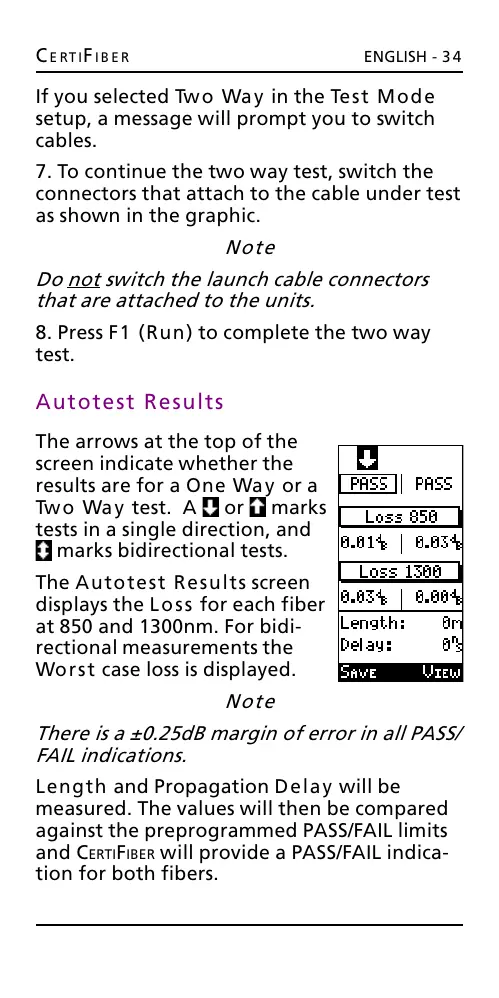
The arrows at the top of the
screen indicate whether the
results are for a One Way or a
Two Way test. A or marks
tests in a single direction, and
marks bidirectional tests.
The Autotest Results screen
displays the Loss for each fiber
at 850 and 1300nm. For bidi-
rectional measurements the
Worst case loss is displayed.
Note
There is a ±0.25dB margin of error in all PASS/
FAIL indications.
Length and Propagation Delay will be
measured. The values will then be compared
against the preprogrammed PASS/FAIL limits
and CERTIFIBER will provide a PASS/FAIL indica-
tion for both fibers.
All manuals and user guides at all-guides.com










 To Next Page