CERTIFIBER ENGLISH - 35
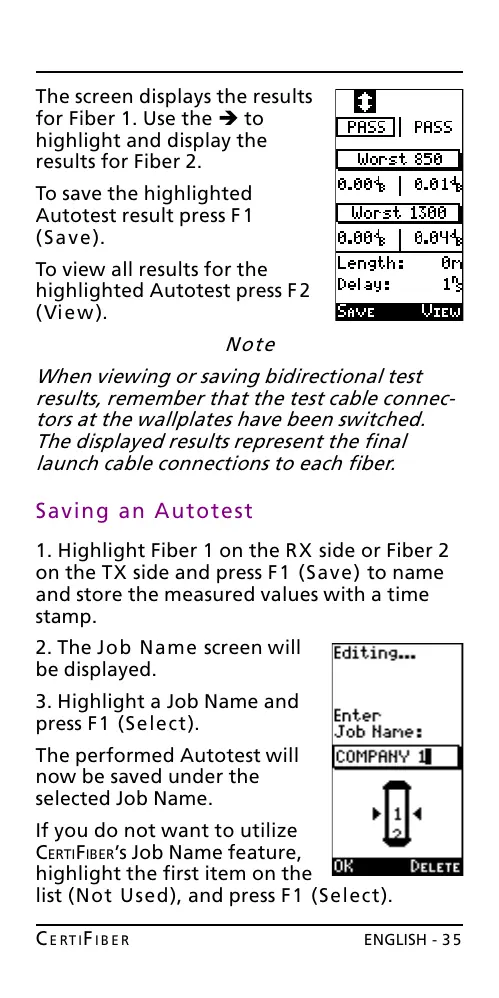
The screen displays the results
for Fiber 1. Use the è to
highlight and display the
results for Fiber 2.
To save the highlighted
Autotest result press F1
(Save).
To view all results for the
highlighted Autotest press F2
(View).
Note
When viewing or saving bidirectional test
results, remember that the test cable connec-
tors at the wallplates have been switched.
The displayed results represent the final
launch cable connections to each fiber.
Saving an Autotest
1. Highlight Fiber 1 on the RX side or Fiber 2
on the TX side and press F1 (Save) to name
and store the measured values with a time
stamp.
2. The Job Name screen will
be displayed.
3. Highlight a Job Name and
press F1 (Select).
The performed Autotest will
now be saved under the
selected Job Name.
If you do not want to utilize
CERTIFIBERs Job Name feature,
highlight the first item on the
list (Not Used), and press F1 (Select).
All manuals and user guides at all-guides.com










 To Next Page