CERTIFIBER ENGLISH - 37
Viewing Autotest Results
Once the Autotest has been saved, CERTIFIBER
returns to the Autotest Result screen. F2
(View) is available.
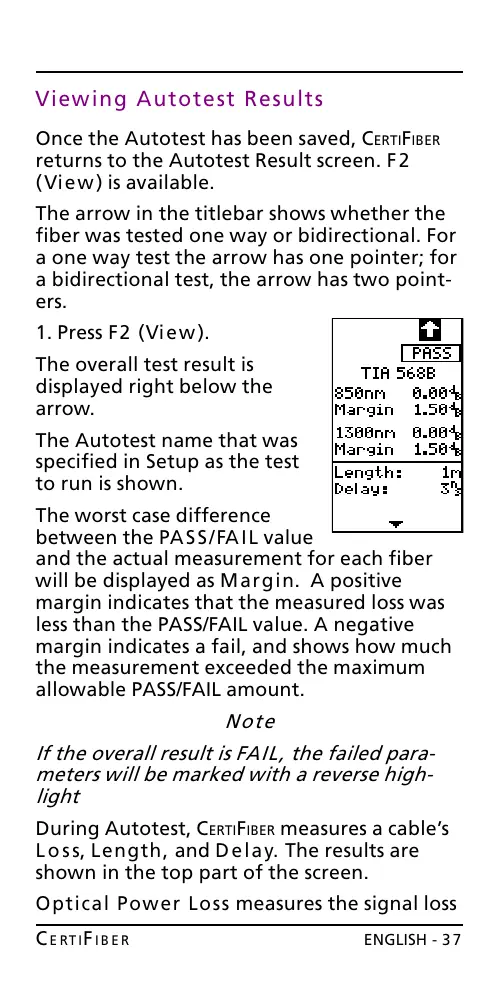
The arrow in the titlebar shows whether the
fiber was tested one way or bidirectional. For
a one way test the arrow has one pointer; for
a bidirectional test, the arrow has two point-
ers.
1. Press F2 (View).
The overall test result is
displayed right below the
arrow.
The Autotest name that was
specified in Setup as the test
to run is shown.
The worst case difference
between the PASS/FAIL value
and the actual measurement for each fiber
will be displayed as Margin. A positive
margin indicates that the measured loss was
less than the PASS/FAIL value. A negative
margin indicates a fail, and shows how much
the measurement exceeded the maximum
allowable PASS/FAIL amount.
Note
If the overall result is FAIL, the failed para-
meters will be marked with a reverse high-
light
During Autotest, CERTIFIBER measures a cables
Loss, Length, and Delay. The results are
shown in the top part of the screen.
Optical Power Loss measures the signal loss
All manuals and user guides at all-guides.com










 To Next Page