CERTIFIBER ENGLISH - 42
names.
6. If tests were accidentally marked and
should not be deleted, press F2 (Block) once
more to turn the mark or block mode off.
Unselect the Autotests by pressing F2
(Unmark).
7. Press F1 (Delete) to deleted all tests that
are currently marked.
8. A confirmation screen will prompt you.
Make the appropriate choice and continue.
Uploading to a PC
Test results can be uploaded to a PC using the
included Scanlink Tools software.
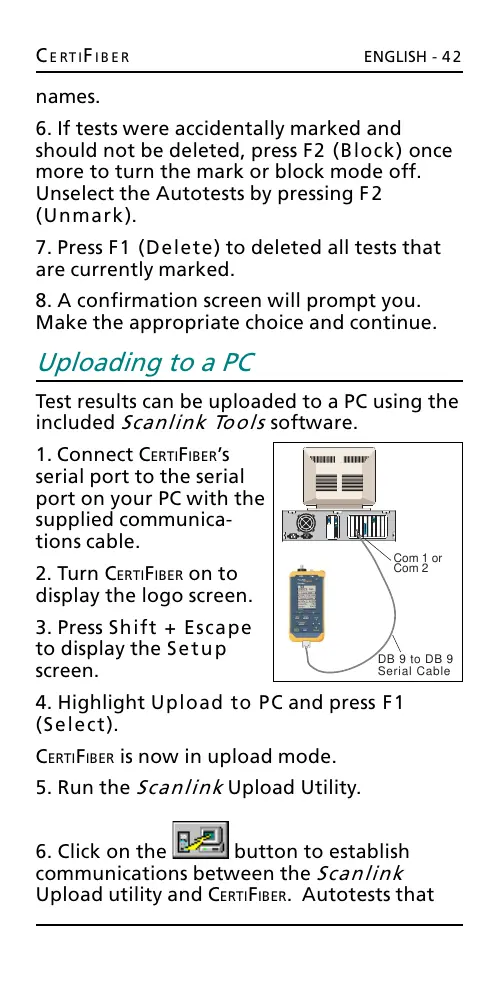
1. Connect CERTIFIBERs
serial port to the serial
port on your PC with the
supplied communica-
tions cable.
2. Turn CERTIFIBER on to
display the logo screen.
3. Press Shift + Escape
to display the Setup
screen.
4. Highlight Upload to PC and press F1
(Select).
CERTIFIBER is now in upload mode.
5. Run the Scanlink Upload Utility.
6. Click on the button to establish
communications between the Scanlink
Upload utility and CERTIFIBER. Autotests that
DB 9 to DB 9
Serial Cable
Com 1 or
Com 2
All manuals and user guides at all-guides.com










 To Next Page