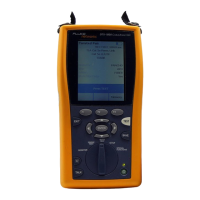
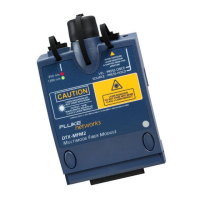
DTX-MFM2/GFM2/SFM2 Fiber Modules
Users Manual
30
-continued-
Autotest in Loopback Mode: Set the Reference
1
Turn on the tester and smart remote and let them sit for
5 minutes. Allow additional time if the modules have
been stored above or below ambient temperature.
2
Turn the rotary switch to SETUP, then select Fiber Loss.
Set the following on the Fiber Loss tabs (press C to see
other tabs):
•
Test Limit: Select the test limit required for the job.
Press J More to see other lists of limits.
•
Fiber Type: Select the fiber type to be tested.
•
Remote End Setup: Set to Loopback.
•
Bi-directional: Enable this if you are required to test
the fiber in both directions.
•
Number of Adapters and Number of Splices: Enter
the number of adapters and splices that will be added
to each direction of the fiber path after the reference
is set.
•
Connector Type: Select the connector type used in
the cabling to be tested. Select General if the exact
type is not listed.
•
Test Method: Refers to the number of adapters
represented in the loss results. Select 1 Jumper if you
use the reference and test connections shown in this
manual.
3
Turn the rotary switch to SPECIAL FUNCTIONS, then
select Set Reference. If both a fiber module and a
twisted pair or coaxial adapter are attached, select
Fiber Module next.
4
The Set Reference screen shows connections for the
test method you selected. Figure 12 shows connections
for the 1 Jumper method. Clean and inspect the
connectors on the tester and test reference cord,
connect the tester’s INPUT and OUTPUT ports; then
press
P.
See Table 2 on page 15 for details on settings.


 To Next Page