TiS
Users Manual
10
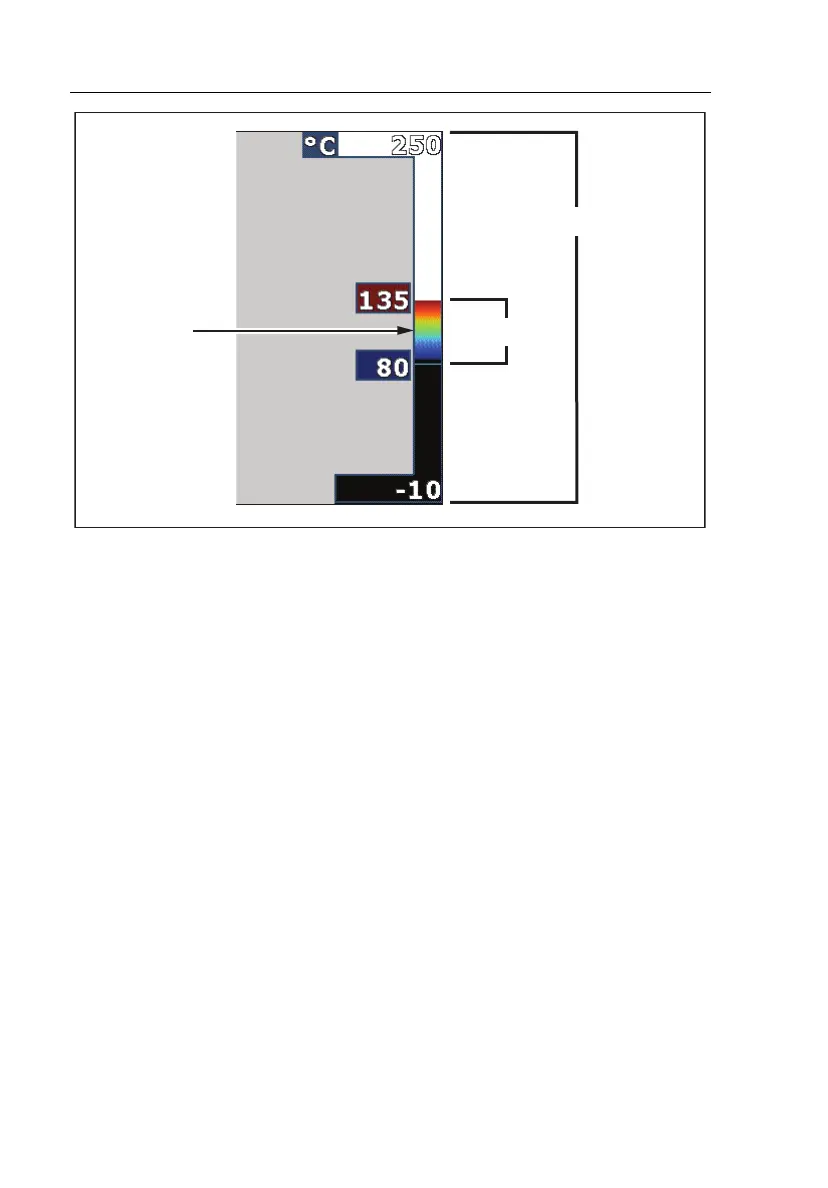
Total Imager Range
SpanLevel
exj02.eps
Figure 1. Range and Span Settings
Reviewing and Deleting Stored Images
To view stored images on the SD card:
1. Press until Memory appears over .
2. Press the softkey labeled Memory to reveal the review menu.
3. Press the softkey labeled Review.
4. Press the softkey labeled Up to display the previous image or Down to
display the next stored image.
To delete a single Image from the SD card:
1. Perform the steps under viewing stored images above to bring the desired
image to the display.
2. Press the softkey labeled Select.
3. Press the softkey labeled Delete.
To delete all the images from the SD card:
1. Press to activate the menu.
2. Press the softkey labeled Memory.



 To Next Page