12
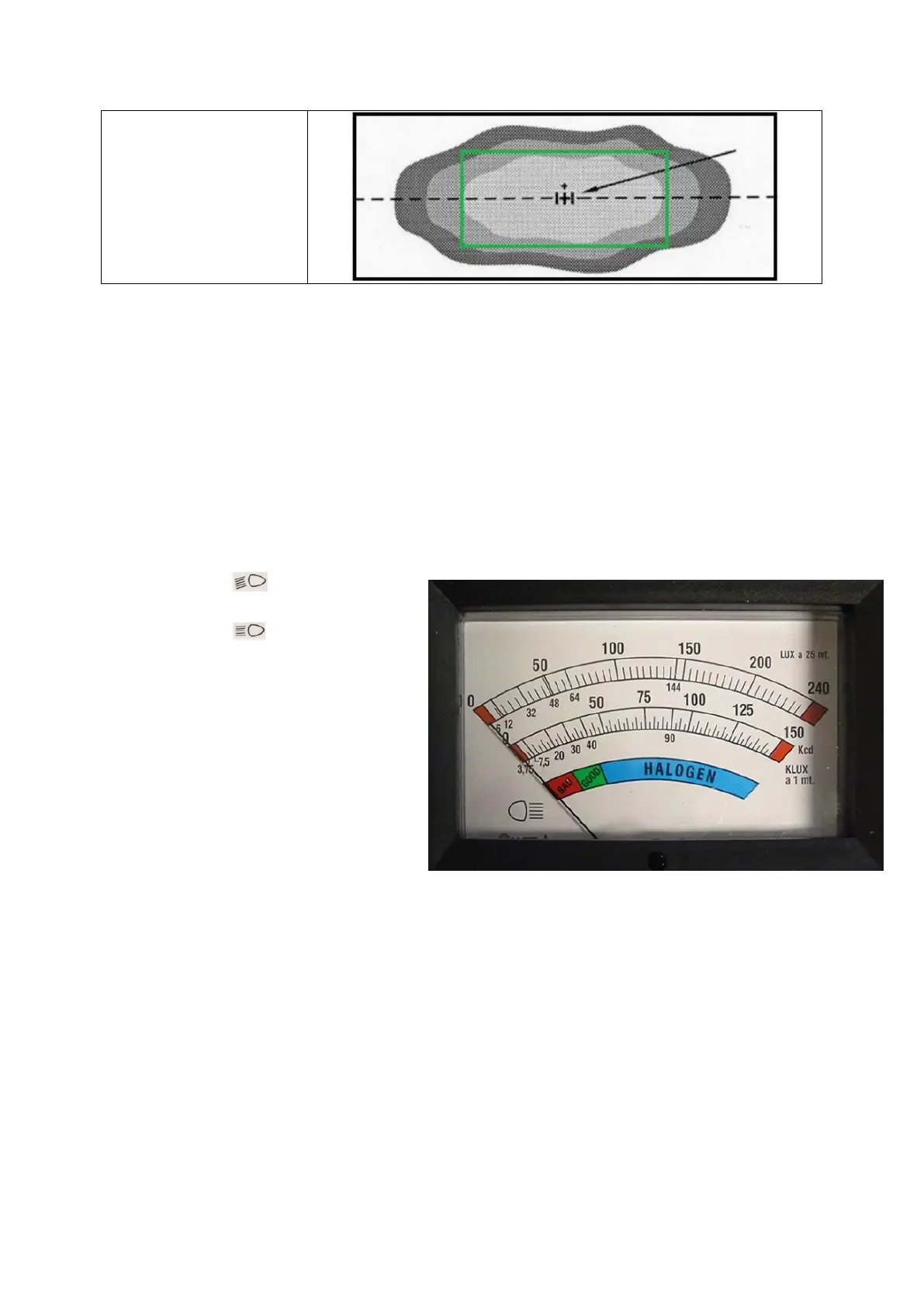
High beam headlight
The center of the light
beam is focused around
the central point, marked
with [+].
Adjusting the headlight
12. In case the light image of the vehicle differs from the examples given above, the headlight
has to be adjusted, refer to the vehicle’s factory manual for instructions. After adjusting
secure the headlight firmly, so uncontrolled adjustment is ruled out.
CAUTION! After repairing the vehicle’s suspension or replacing the light bolt in the headlight, the
headlight has to be readjusted.
Checking the light intensity
After checking the light image, the light intensity can be measured, this is shown on the LUX-meter.
1. Turn the headlights on.
2. Press the button and check
the value on the LUX-meter.
3. Press the button and check the
value on the LUX-meter.
Reading the color-indication on the Lux-
meter
1. Indicator on Bad/Good limit for
vehicle with a maximum speed of
40 km/h and motorcycles
2. Indicator on Good for vehicle
faster than 40 km/h
3. Indicator on Halogen for vehicle
with Halogen light
Reading a graduated scale or digital Lux-meter
Minimum values
- Low beam headlight/Fog light 6 LUX
- Normal high beam headlight 32 LUX
- Vehicles with H4 Halogen light 48 LUX
- Vehicles with H1/H3 Halogen light 64 LUX
These values have been calculated based on a distance of 25 meters as prescribed in the Directive,
so they don’t have to be translated. If these values are not met, this could be caused by a defect such



 To Next Page