Turbo
Macro Setting
Vibration
Function
Set up turbo
Recording
Macro
Clear
Marco
Press the and Target button at the same time to
set the button as a burst button
Clear turbo
Press the and burst buttons at the same time to
clear the burst function
Adjust the
frequency
Hold down the button while pushing the left stick left/right,
Decreases/increases burst frequency
Supports
buttons
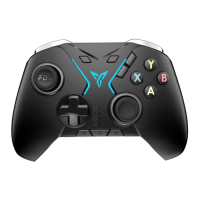
ABXY, L, ZL, R, ZR, D-pad, left/right stick press down
1. Long press and M1/M2 for three seconds to enter
the recording mode, at this time the indicator light flashes blue
and white alternately
2. Operate the controller to record, press the M1/M2 buttons once
to complete the recording
*If only one button is recorded, M1/M2 will be mapped to that button
Press and Hold and M1/M2 to clean up the set of
the Macro/mapping
Hold down the O button while pushing the left stick down/up to
decrease/increase the vibration force.



 To Next Page