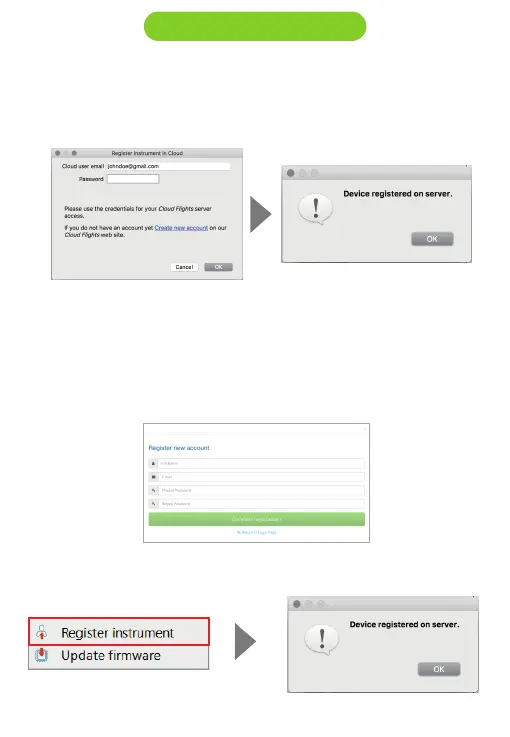
6. Register instrument : If you already have an account on the Flymaster
network, just log in with your Cloud user email and password.
7. If you don’t have an account, create one. During the account creation
process a verification email will be sent to the provided email, so be sure
to use a valid email account. If you do not receive the verification email
within a couple of minutes double check you spam to be sure it hasn't
been snagged.
7.1. Now you can register you instrument.
3.1. Designer software



 To Next Page