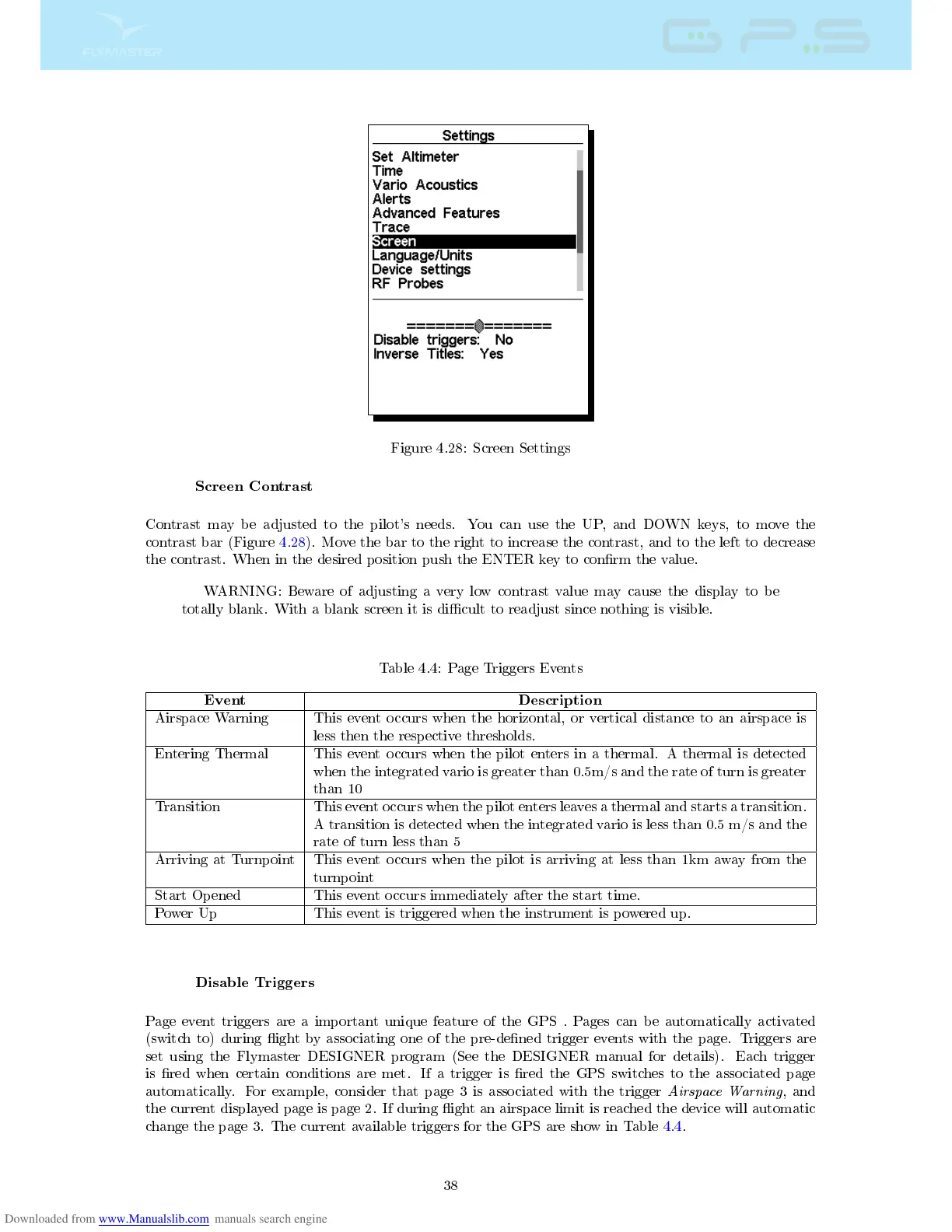
Figure 4.28: Screen Settings
Screen Contrast
Contrast may be adjusted to the pilot's needs. You can use the UP, and DOWN keys, to move the
contrast bar (Figure 4.28). Move the bar to the right to increase the contrast, and to the left to decrease
the contrast. When in the desired position push the ENTER key to conrm the value.
WARNING: Beware of adjusting a very low contrast value may cause the display to be
totally blank. With a blank screen it is dicult to readjust since nothing is visible.
Table 4.4: Page Triggers Events
Event Description
Airspace Warning This event occurs when the horizontal, or vertical distance to an airspace is
less then the respective thresholds.
Entering Thermal This event occurs when the pilot enters in a thermal. A thermal is detected
when the integrated vario is greater than 0.5m/s and the rate of turn is greater
than 10
Transition This event occurs when the pilot enters leaves a thermal and starts a transition.
A transition is detected when the integrated vario is less than 0.5 m/s and the
rate of turn less than 5
Arriving at Turnpoint This event occurs when the pilot is arriving at less than 1km away from the
turnpoint
Start Opened This event occurs immediately after the start time.
Power Up This event is triggered when the instrument is powered up.
Disable Triggers
Page event triggers are a important unique feature of the GPS . Pages can be automatically activated
(switch to) during ight by associating one of the pre-dened trigger events with the page. Triggers are
set using the Flymaster DESIGNER program (See the DESIGNER manual for details). Each trigger
is red when certain conditions are met. If a trigger is red the GPS switches to the associated page
automatically. For example, consider that page 3 is associated with the trigger
Airspace Warning
, and
the current displayed page is page 2. If during ight an airspace limit is reached the device will automatic
change the page 3. The current available triggers for the GPS are show in Table 4.4.
38



 To Next Page