This menu can also be used to disable all the page triggers at once. In order to disable page triggers
the
Disable Triggers
option should be set to
Yes
, using the UP, or DOWN keys, and conrmed with the
ENTER Key.
Inverse Titles
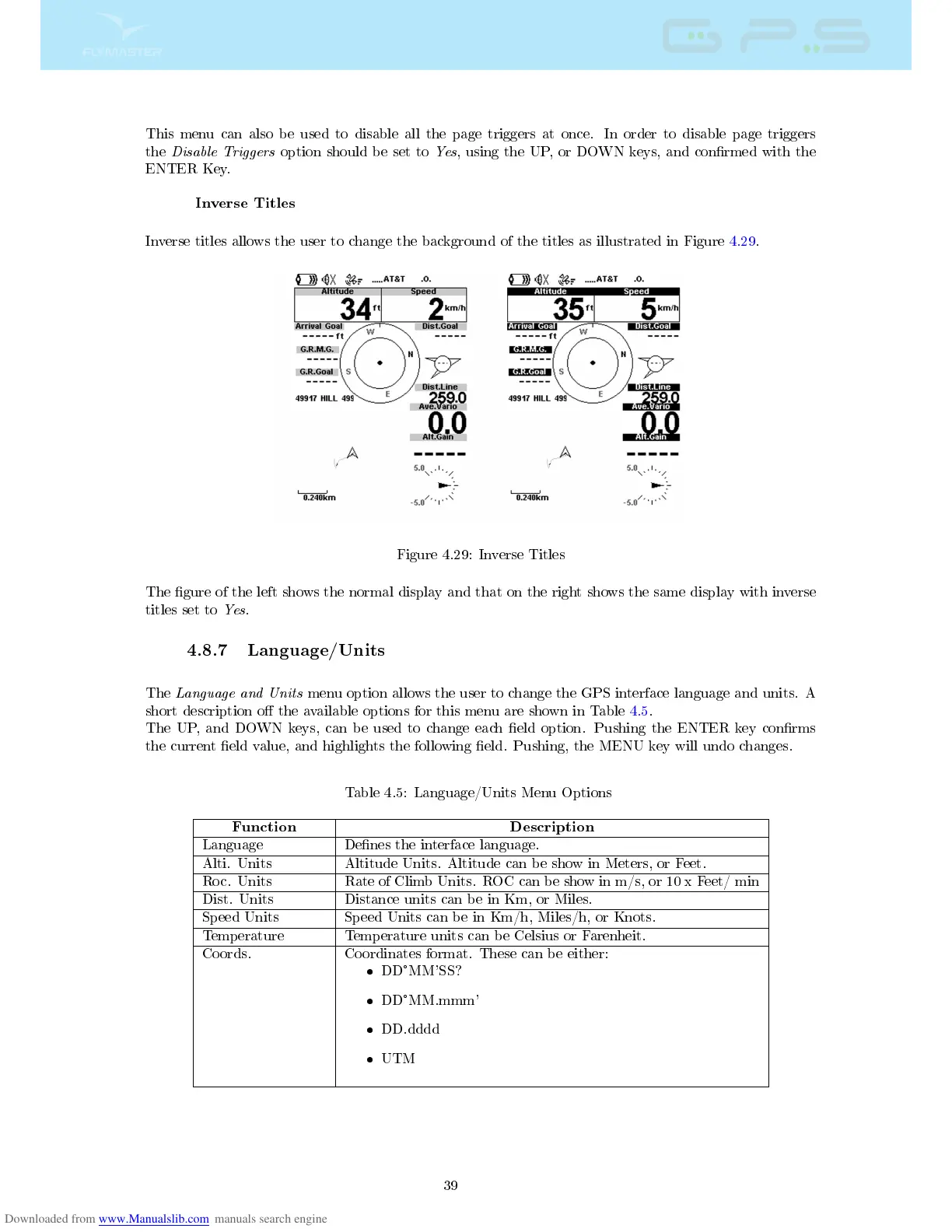
Inverse titles allows the user to change the background of the titles as illustrated in Figure 4.29.
Figure 4.29: Inverse Titles
The gure of the left shows the normal display and that on the right shows the same display with inverse
titles set to
Yes
.
4.8.7 Language/Units
The
Language and Units
menu option allows the user to change the GPS interface language and units. A
short description o the available options for this menu are shown in Table 4.5.
The UP, and DOWN keys, can be used to change each eld option. Pushing the ENTER key conrms
the current eld value, and highlights the following eld. Pushing, the MENU key will undo changes.
Table 4.5: Language/Units Menu Options
Function Description
Language Denes the interface language.
Alti. Units Altitude Units. Altitude can be show in Meters, or Feet.
Roc. Units Rate of Climb Units. ROC can be show in m/s, or 10 x Feet/ min
Dist. Units Distance units can be in Km, or Miles.
Speed Units Speed Units can be in Km/h, Miles/h, or Knots.
Temperature Temperature units can be Celsius or Farenheit.
Coords. Coordinates format. These can be either:
DD
°
MM'SS?
DD
°
MM.mmm'
DD.dddd
UTM
39



 To Next Page