5 RouteDenition
In this section we will present an example of how to set a task in your GPS .
Consider the route detailed in Table 5.1.
Table 5.1: Route example
Cylinder type Waypoint name
WAYPOINT T01
WAYPOINT W03
WAYPOINT W06
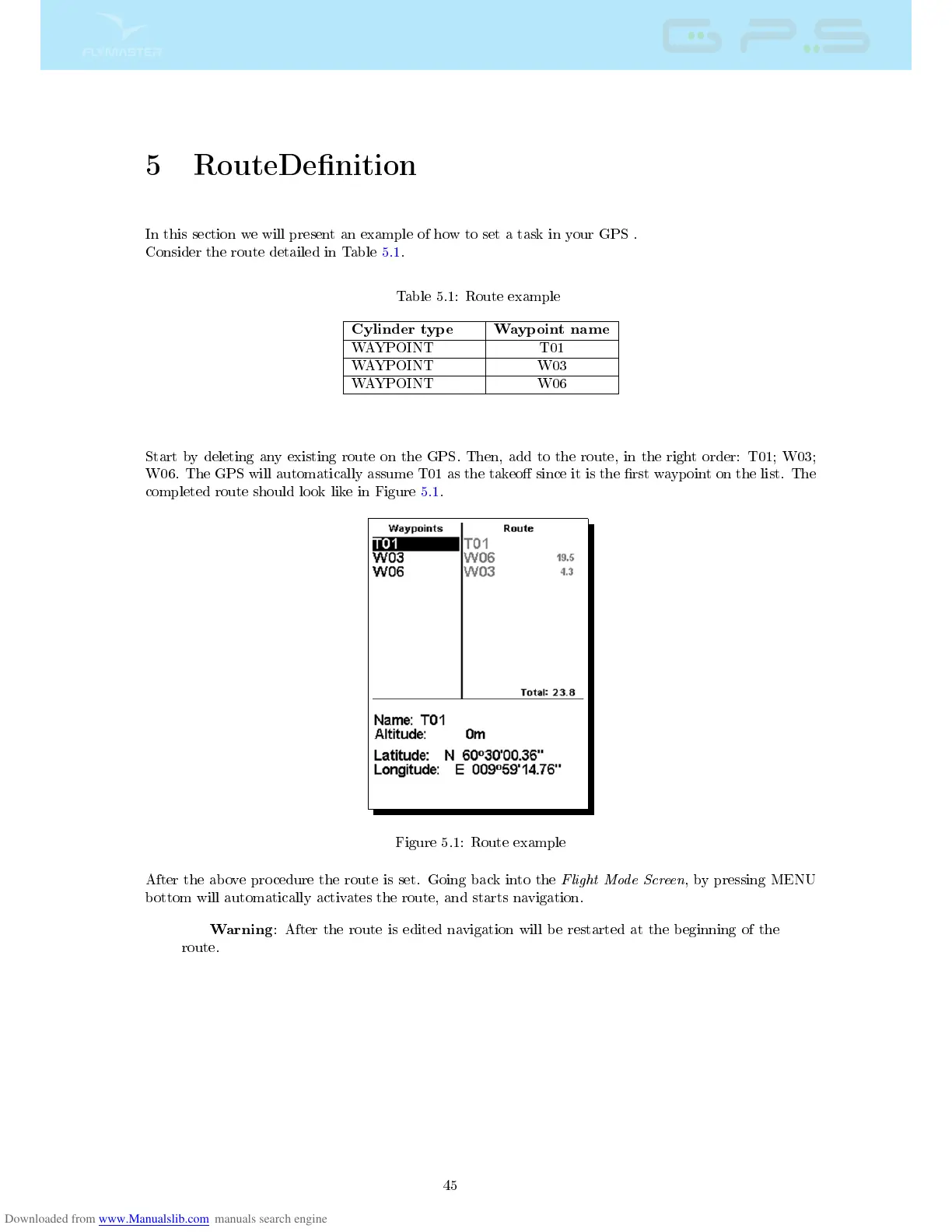
Start by deleting any existing route on the GPS. Then, add to the route, in the right order: T01; W03;
W06. The GPS will automatically assume T01 as the takeo since it is the rst waypoint on the list. The
completed route should look like in Figure 5.1.
Figure 5.1: Route example
After the above procedure the route is set. Going back into the
Flight Mode Screen
, by pressing MENU
bottom will automatically activates the route, and starts navigation.
Warning
: After the route is edited navigation will be restarted at the beginning of the
route.
45



 To Next Page