Need help?
Do you have a question about the FlyTech POS455 and is the answer not in the manual?
Key safety warnings for operating the device.
Risk of explosion if battery is replaced incorrectly.
Compliance with IEC60950-1 regarding fire enclosure materials.
Lists the standard accessories included with the system.
Lists optional accessories available for the system.
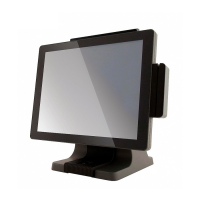
Diagram and labels for the front and side of the POS system.
Diagram and labels for the rear of the POS system.
Diagrams and labels for input/output ports on different motherboards.
Physical dimensions of the POS system.
Step-by-step instructions for removing the system stand.
Instructions for removing the system's cable cover.
Steps for connecting and installing the power adapter.
Instructions for replacing the Hard Disk Drive (HDD).
Steps to install the Magnetic Stripe Reader (MSR) module.
Steps to install the fingerprint reader module.
Steps to install the iButton module.
Instructions for installing the customer-facing display.
Instructions for installing a secondary display.
Information on installing and configuring the cash drawer.
Diagram showing the layout of the D36 V2.1 motherboard components.
Detailed list of connectors and their functions on the D36 V2.1 motherboard.
Configuration options using jumpers on the D36 V2.1 motherboard.
Diagram showing the layout of the D36 V4.0 motherboard components.
Detailed list of connectors and their functions on the D36 V4.0 motherboard.
Configuration options using jumpers on the D36 V4.0 motherboard.
Diagram showing the layout of the D86U motherboard components.
Detailed list of connectors and their functions on the D86U motherboard.
Configuration options using jumpers on the D86U motherboard.
Diagram showing the layout of the D86S motherboard components.
Detailed list of connectors and their functions on the D86S motherboard.
Configuration options using jumpers on the D86S motherboard.
 General
| Brand | FlyTech |
|---|---|
| Model | POS455 |
| Category | Touch terminals |
| Language | English |


 To Next Page