12
4-5.
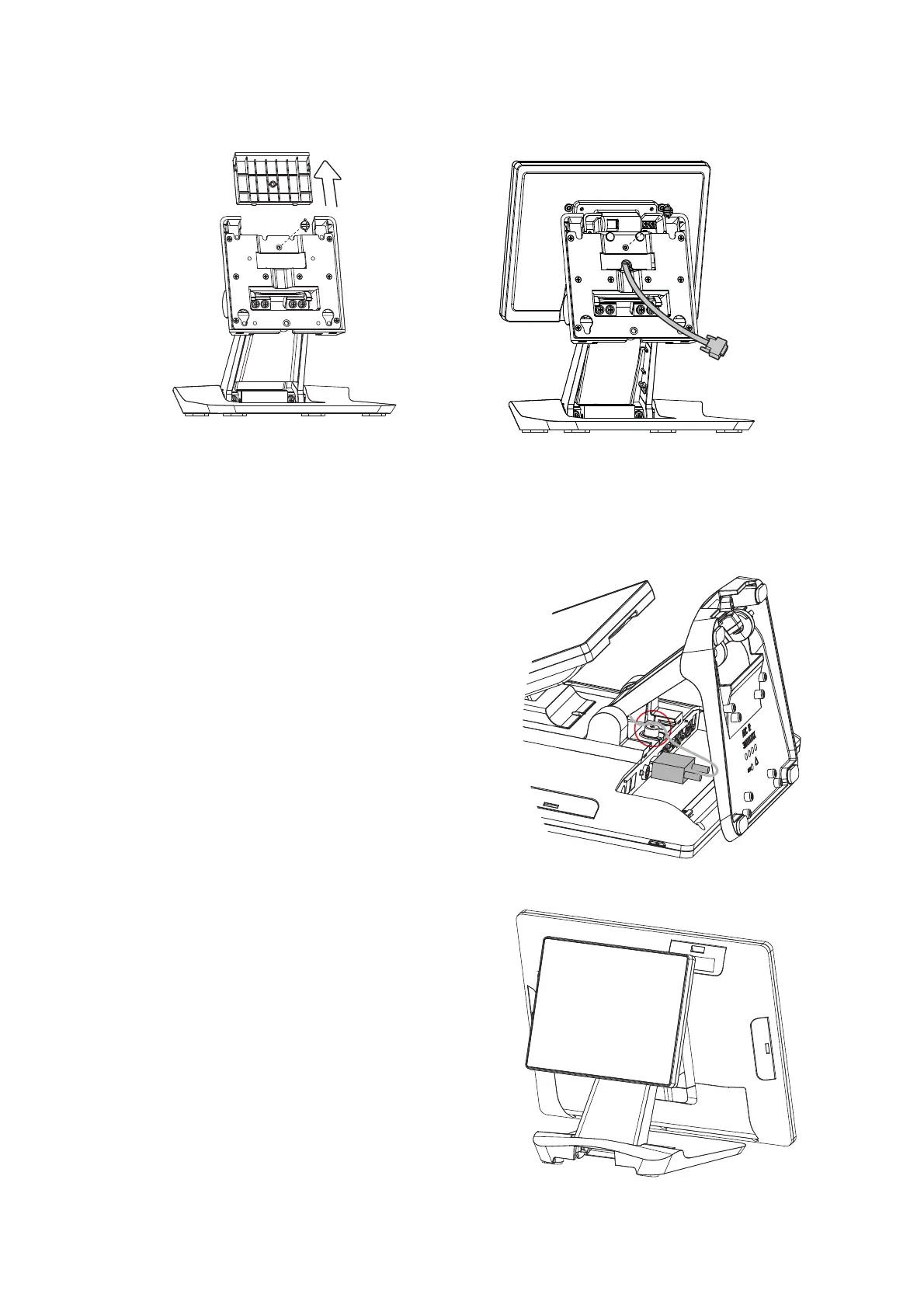
Install the Second Display
1. Follow the steps in Chapter 3-1 to diassemble the stand from the LCD panel.
2. Remove the thumb screw (x1) from the VESA top cover and then pull the cover up.
3. Attach the 8.4"' 2
nd
display module to system by fastening the thumb screw (x1).
4. Route the 2
nd
display cable through the hole of the stand as picture shown.
5. Attach the stand to the LCD panel and
fasten the thumb screw (x1).
6. Connect the 2
nd
display cable to VGA
port on the systems IO panel. Make
sure the system is powered off.
* Please note the cable cover and the
stand front cover (refer to Chapter 2-1
and 2-2) have to be removed before
routing the cable.



 To Next Page