Need help?
Do you have a question about the FlyTech POS485 and is the answer not in the manual?
Essential guidelines for safe operation and handling of the POS system.
Lists and illustrates standard accessories included with the system.
Lists and illustrates optional accessories available for purchase.
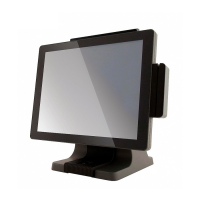
Diagrams of front and side views with labeled parts.
Diagram of rear view with stand and labeled parts.
Details I/O ports for D36 and D66 motherboards.
Diagrams showing system physical dimensions in mm.
Instructions for detaching and reattaching the system stand.
Steps to replace the power adapter unit.
Detailed steps for removing and installing a Hard Disk Drive (HDD).
Instructions on how to open the system's rear cover.
Steps for removing and installing RAM modules.
Guide on how to install the Magnetic Stripe Reader (MSR) module.
Instructions for uninstalling a fingerprint module.
Steps for installing the Vacuum Fluorescent Display (VFD) module.
Instructions for connecting and attaching a second display.
Guide on how to install the wall mounting kit.
Instructions for installing cable covers on the I/O panel.
Pin assignment and controller register details for cash drawer on specific motherboards.
Pin assignment and controller register details for cash drawer on D66 motherboard.
Details the layout, connectors, and jumper settings for the D36 V2.1 motherboard.
Details the layout, connectors, and jumper settings for the D36 V4.0 motherboard.
Details the layout, connectors, and jumper settings for the D66 motherboard.
Details the layout, connectors, and jumper settings for the D86S motherboard.
 General
| Brand | FlyTech |
|---|---|
| Model | POS485 |
| Category | Touch terminals |
| Language | English |

 To Next Page