11
4-2.
Fingerprint Installation
Fingerprint module will be installed to system prior to shipping once it is selected.
7RXQLQVWDOOÀQJHUSULQWPRGXOHSOHDVHIROORZWKHVWHSVEHORZ
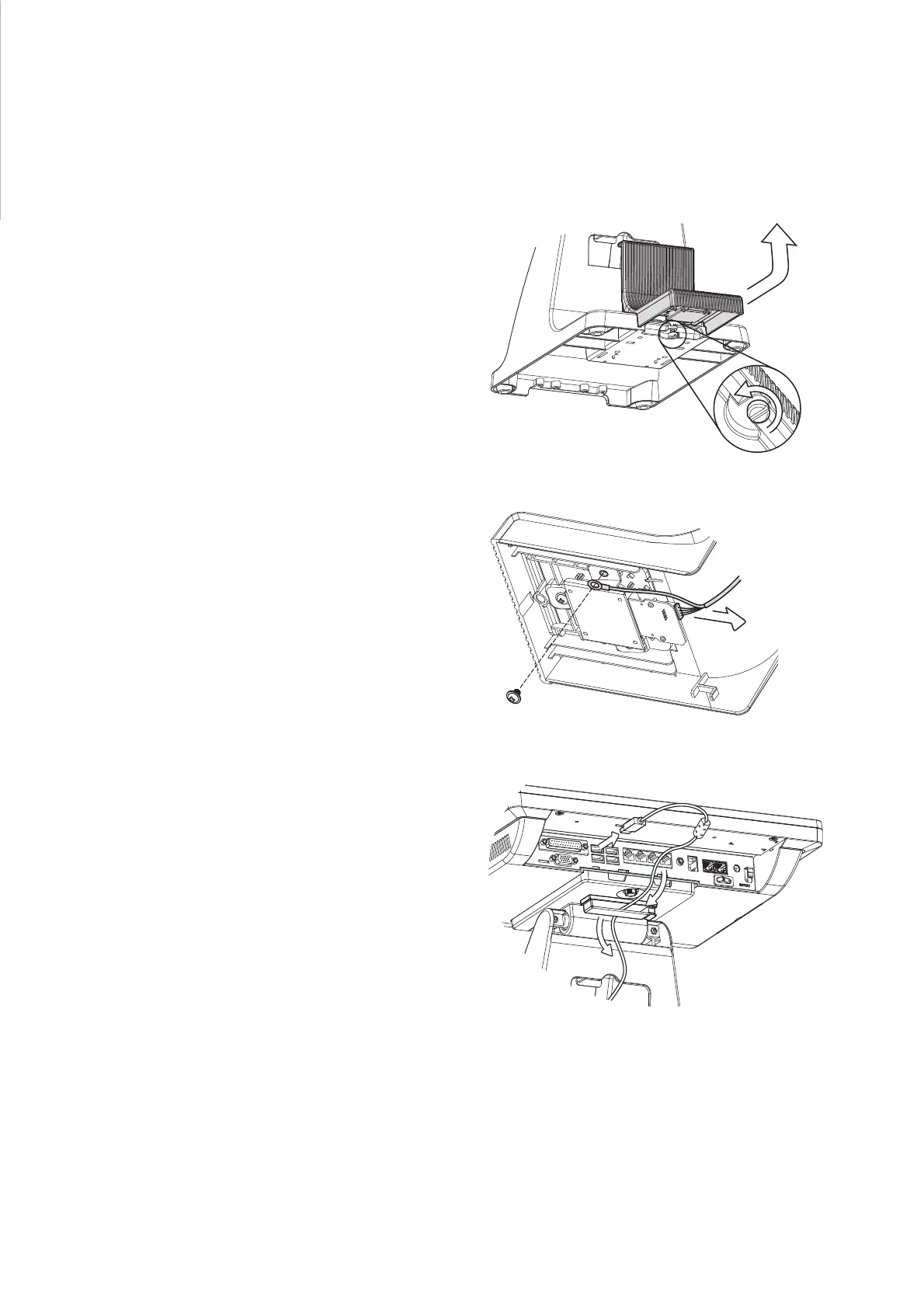
1. Loose the thumb screw (x1) securing
the module and slide the module
outward as arrow shown.
2. Loose the screw (x1) fastening the
ground cable and disconnect the
cable from the connector.
3. Disconnect the cable from the USB
port.
4. Reverse the steps above for
installation.


 To Next Page