8
3-4.
Open the System
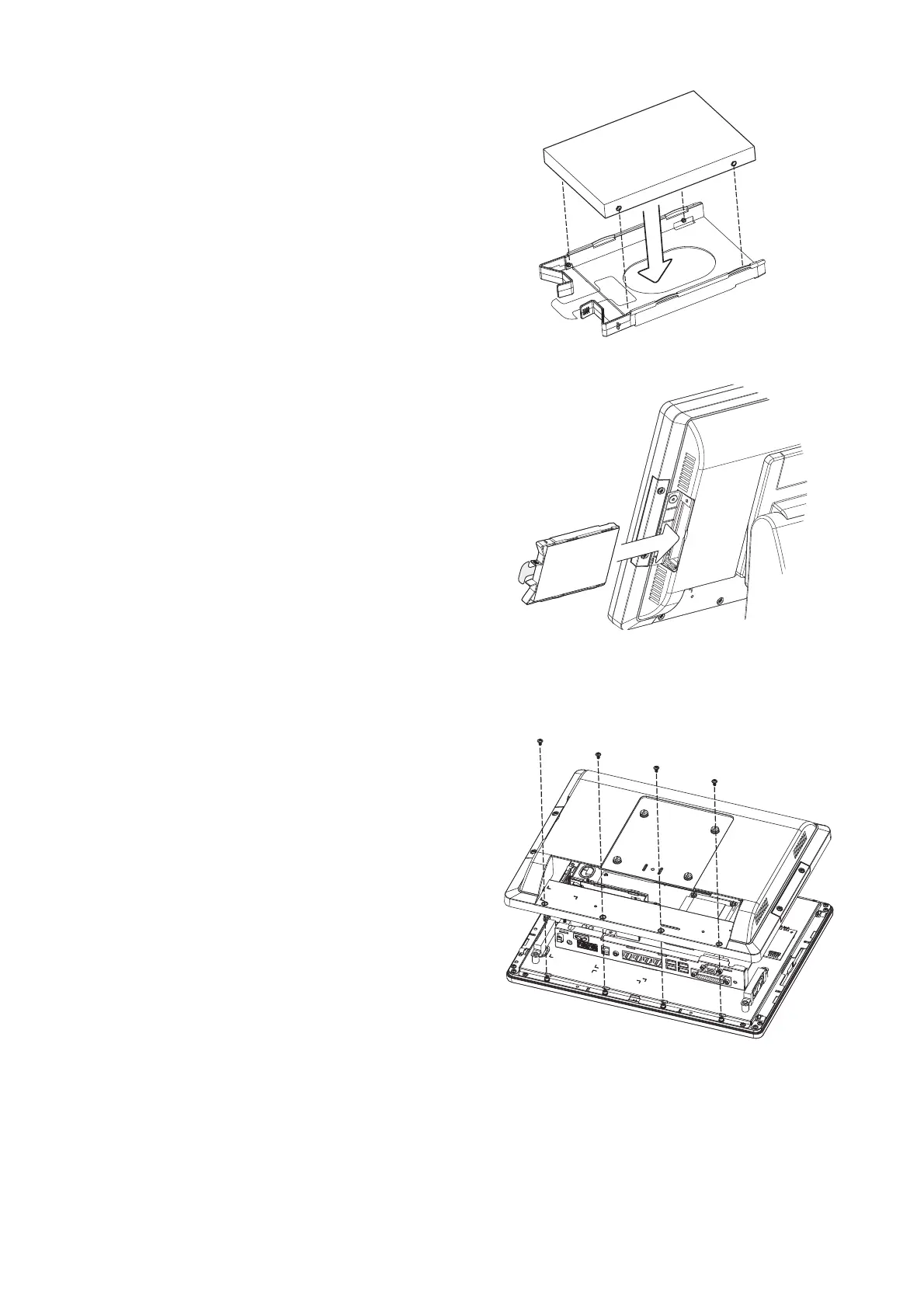
1. Place the system face down. Making
sure not to scratch the screen.
2. Remove the screws (x4) on system
rear cover to open the system.
Note: If the system is equipped
with a MSR, the MSR must be
removed first.(refer to Chapter 4-1
and reverse the steps to remove
the MSR)
2. To install a new HDD, attach the HDD
to the bracket until it clicks in place.
Make sure to press the edges of the
drive not the center to avoid damaging
the drive.
3. Finally slide the HDD into the slot till it
clicks.


 To Next Page