14
4-5.
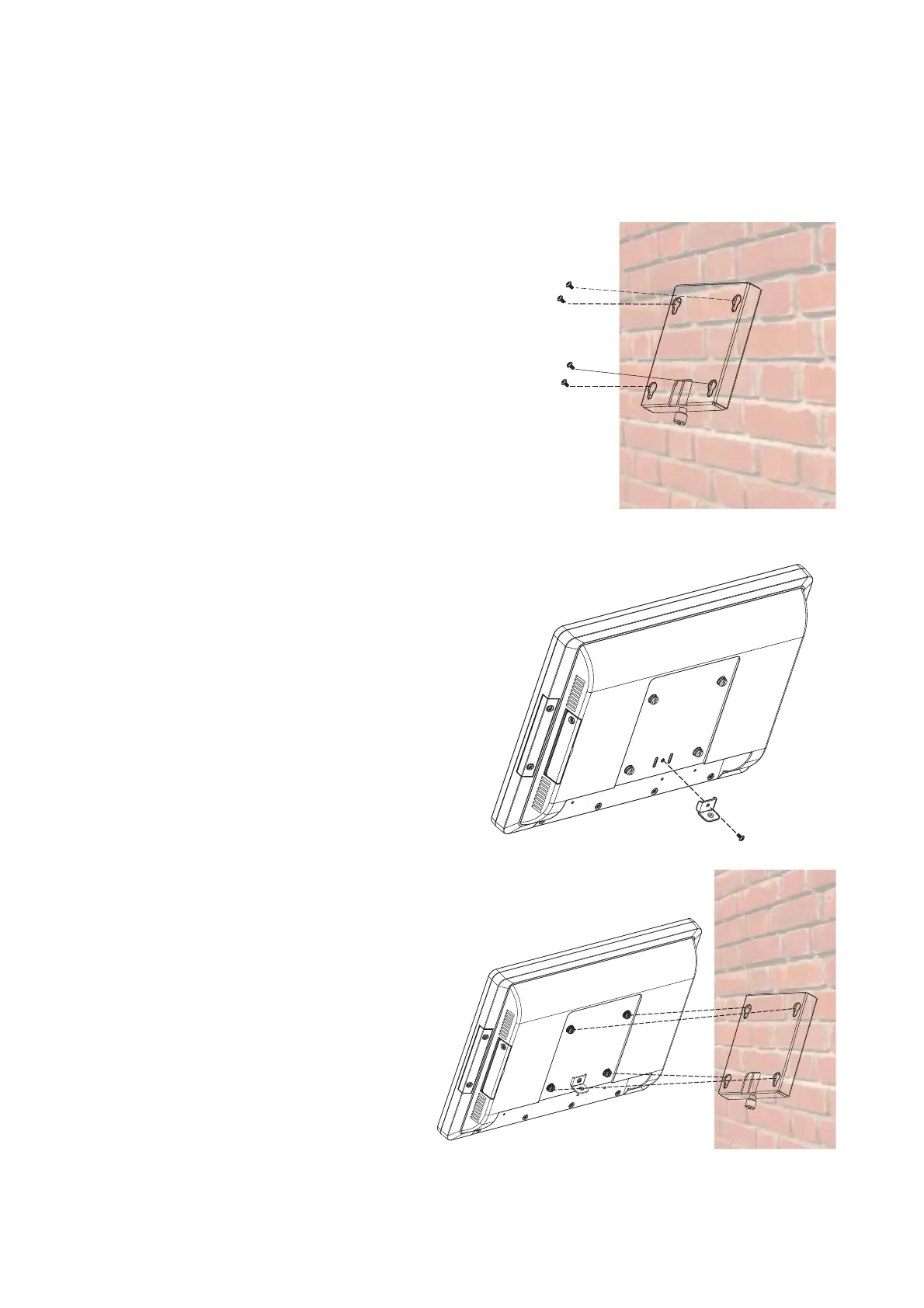
Wall Mounting Kit Installation
1. Secure the wall plate to the wall by
fastening screws (x4).
2. Attach the metal bracket to the back
of the system by fastening the screw
(x1) as shown.
3. Align the large end of the
teardrop mounting holes (x4)
on the wall plate with the
screws (x4) on the system
rear cover. Slide the wall
plate until the screws are
even with the narrow end.
The Wall mounting Kit includes a wall plate, a metal bracket, and one screw. (refer
to Chapter 1-2 item e). Please follow the steps below.


 To Next Page