7
3-4.
Replace HDD
3-3.
Install the Power Adapter
The system is equipped with a 65W or 90W power adapter. Please follow the steps to
install the power adapter.
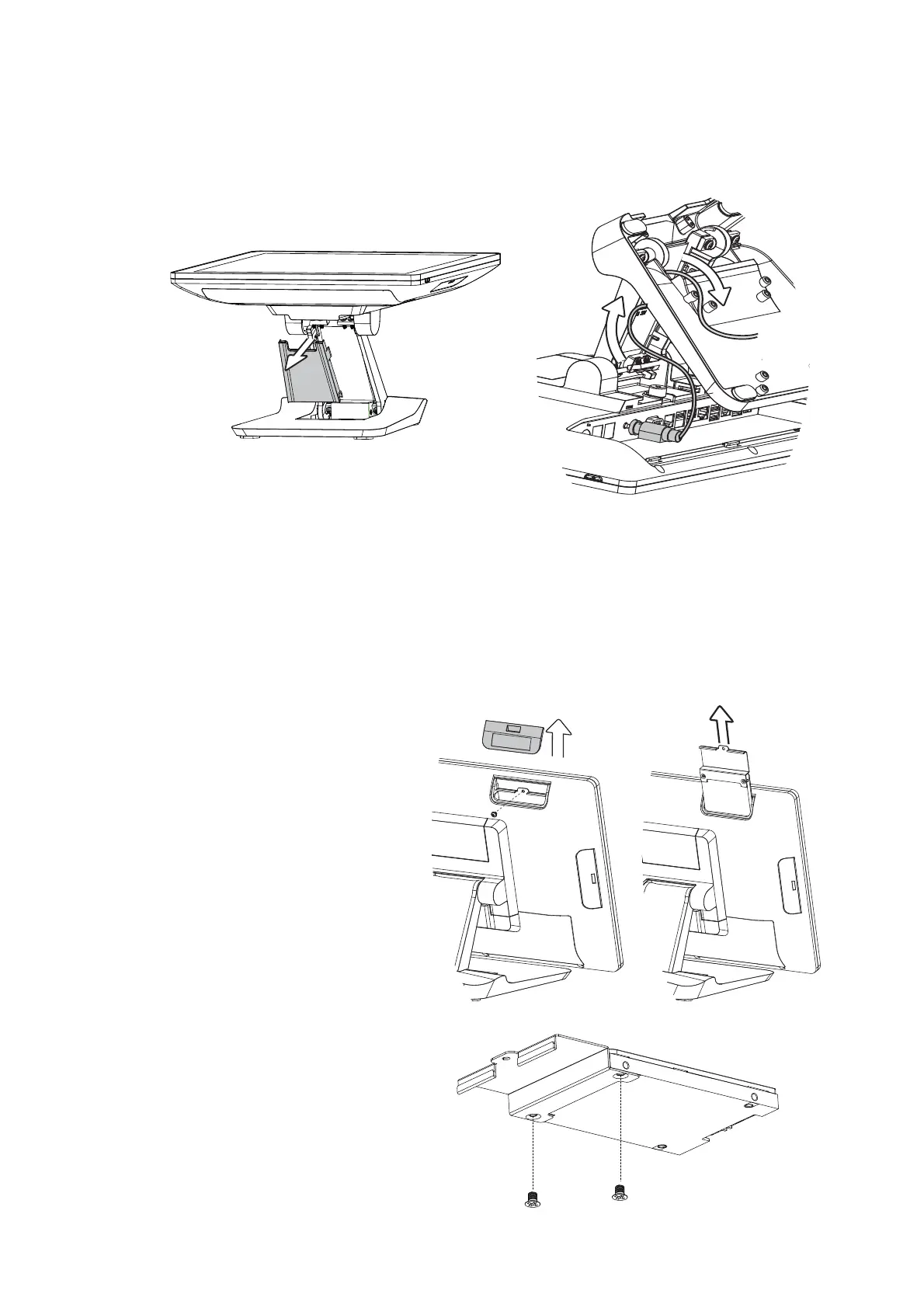
1. The stand is designed to allow for clean cable management. There is a cable
channel through the stand, which has a quick access cover. Please pull the front
cover of the stand outwards.
2. Place the system face down. Making sure not to scrath the touchscreen.
3. Connect the power adapter to the 19V DC IN port and then route the cable as
shown in the picture.
4. Replace the front cover.
1. Remove the HDD dummy
cover retaining a screw and
sliding the drive out.
2. Remove the screws (x2)
WKDWÀ[WKH+''WRWKH
bracket.



 To Next Page