11
4-4.
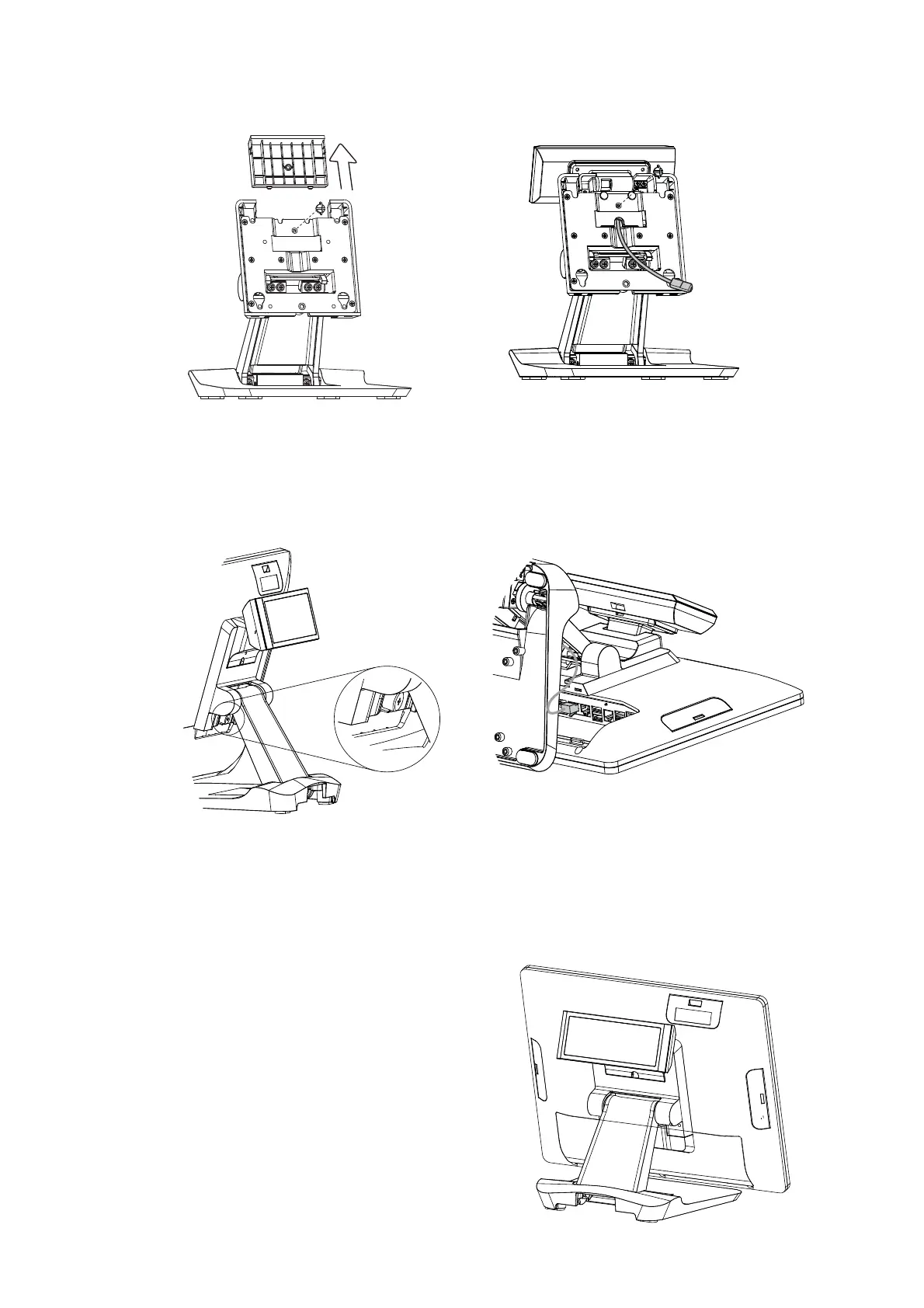
Install the Customer Display
1. Follow the steps in Chapter 3-1 to diassemble the stand from the LCD panel.
2. Remove the thumb screw (x1) from the VESA top cover and then pull the cover up.
3. Attach the LCM module to system by fastening the thumb screw (x1).
4. Route the RJ-45 cable through the hole of the stand as picture shown.
5. Attach the stand to the LCD panel and fasten the thumb screw (x1).
6. Connect the RJ-45 cable to COM port on the systems IO panel. Make sure the
system is powered off.
* Please note the cable cover and the stand front cover (refer to Chapter 2-1 and 2-2)
have to be removed before routing the cable.



 To Next Page