6
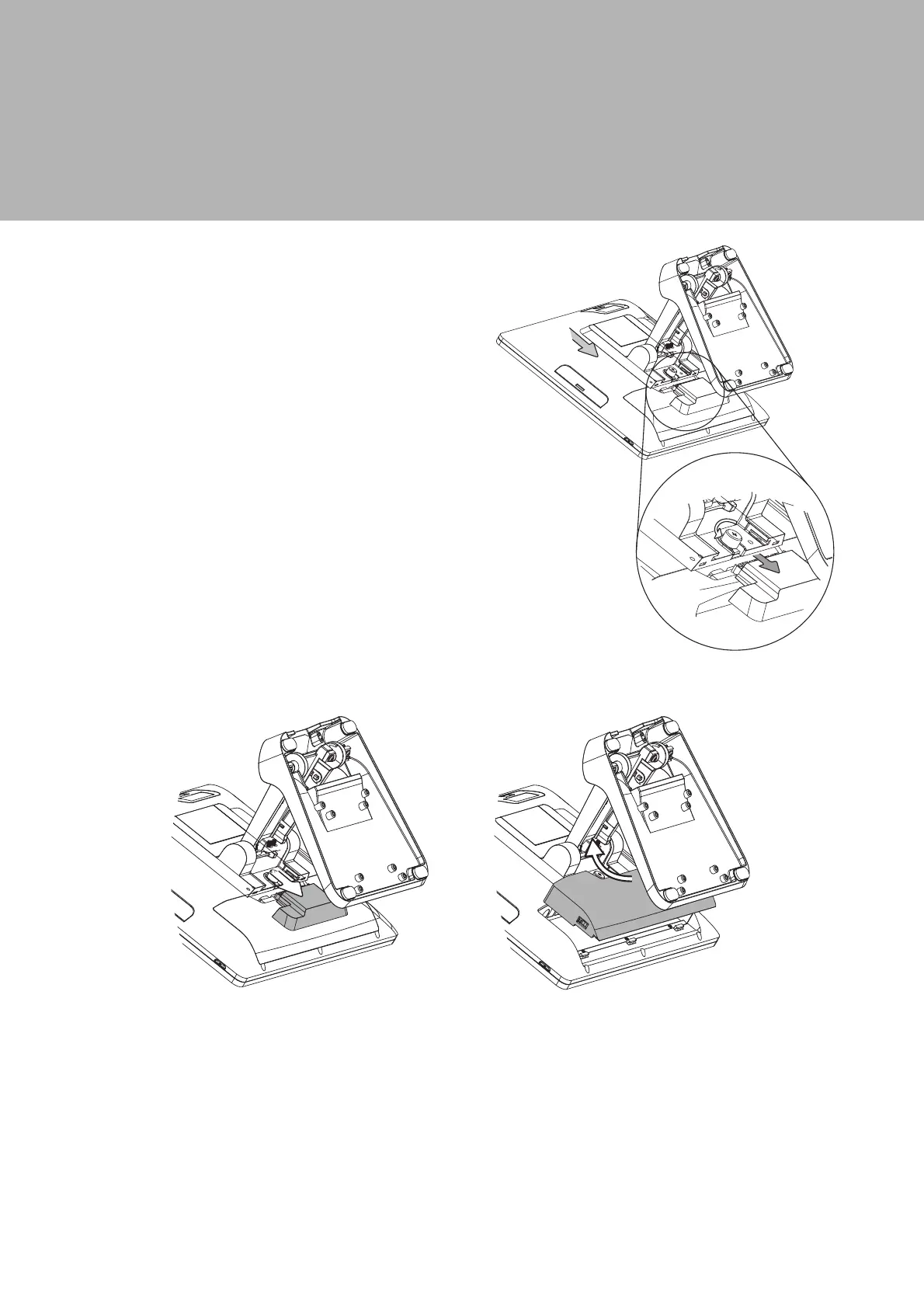
3. System Assembly & Disassembly
3-1.
Disassemble the Stand
3-2.
Remove the Cable Cover
1. Slide the VESA bottom cover
outwards.
2. Loosen the thumb screw (x1) and
slide the stand towards the IO panel
to release it from the system.
3. Reverse the steps above to attach
stand to the system.
1. Slide the VESA bottom cover outwards.
2. Pull the cable cover upwards to release it from the system.



 To Next Page