11
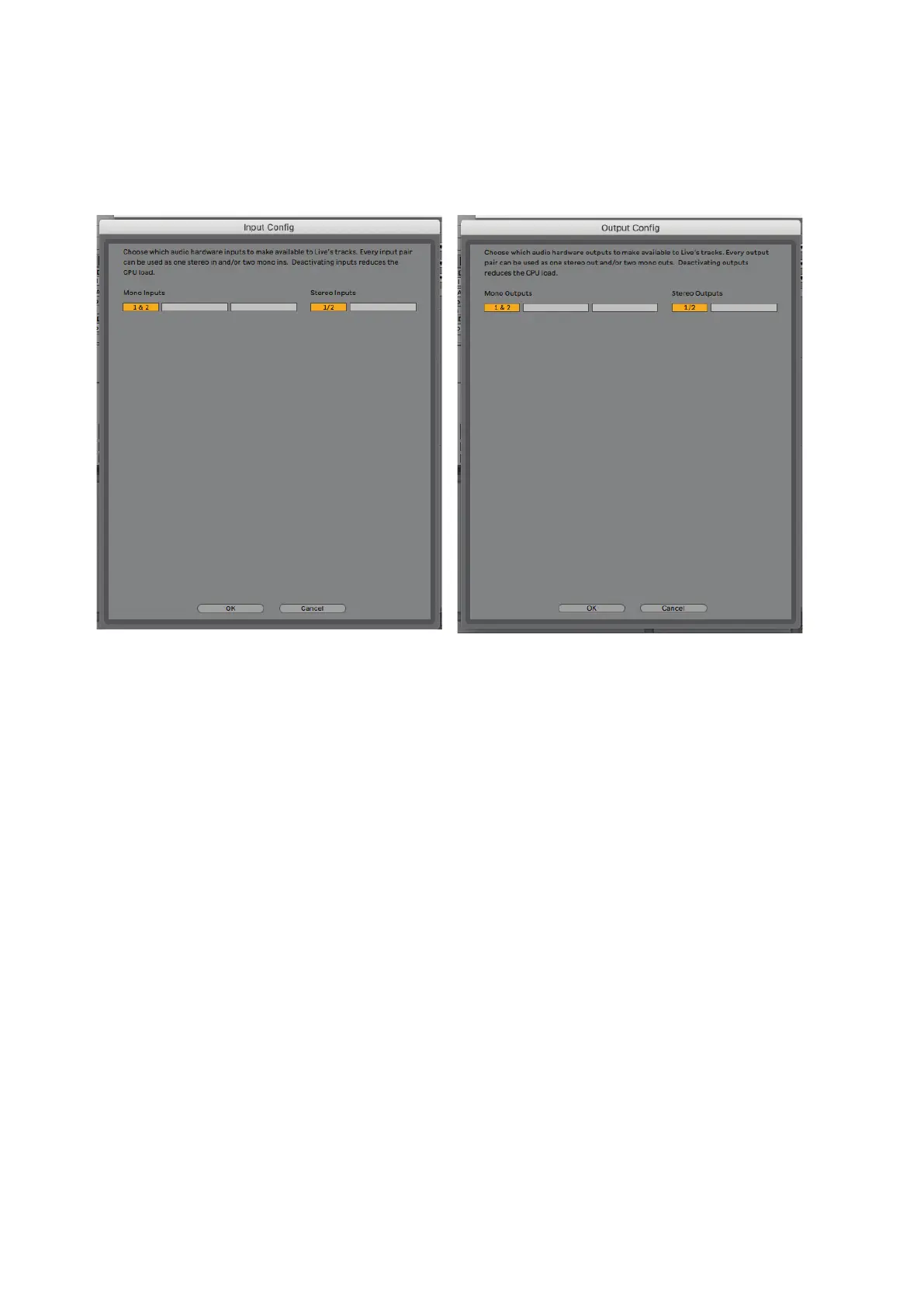
Once the Scarlett 2i2 is set as the preferred Audio Device* in your DAW, Inputs 1 & 2 and Outputs 1 &
2 will appear in your DAW’s Audio I/O preferences. Depending on your DAW, you may need to enable
certain inputs or outputs before use. The two examples below show Inputs 1 & 2 and Outputs 1 & 2
enabled in the Ableton Lite Audio Preferences.
* Typical names. Terminology may differ slightly between DAWs.









 To Next Page