5.3.3 Menus in A20
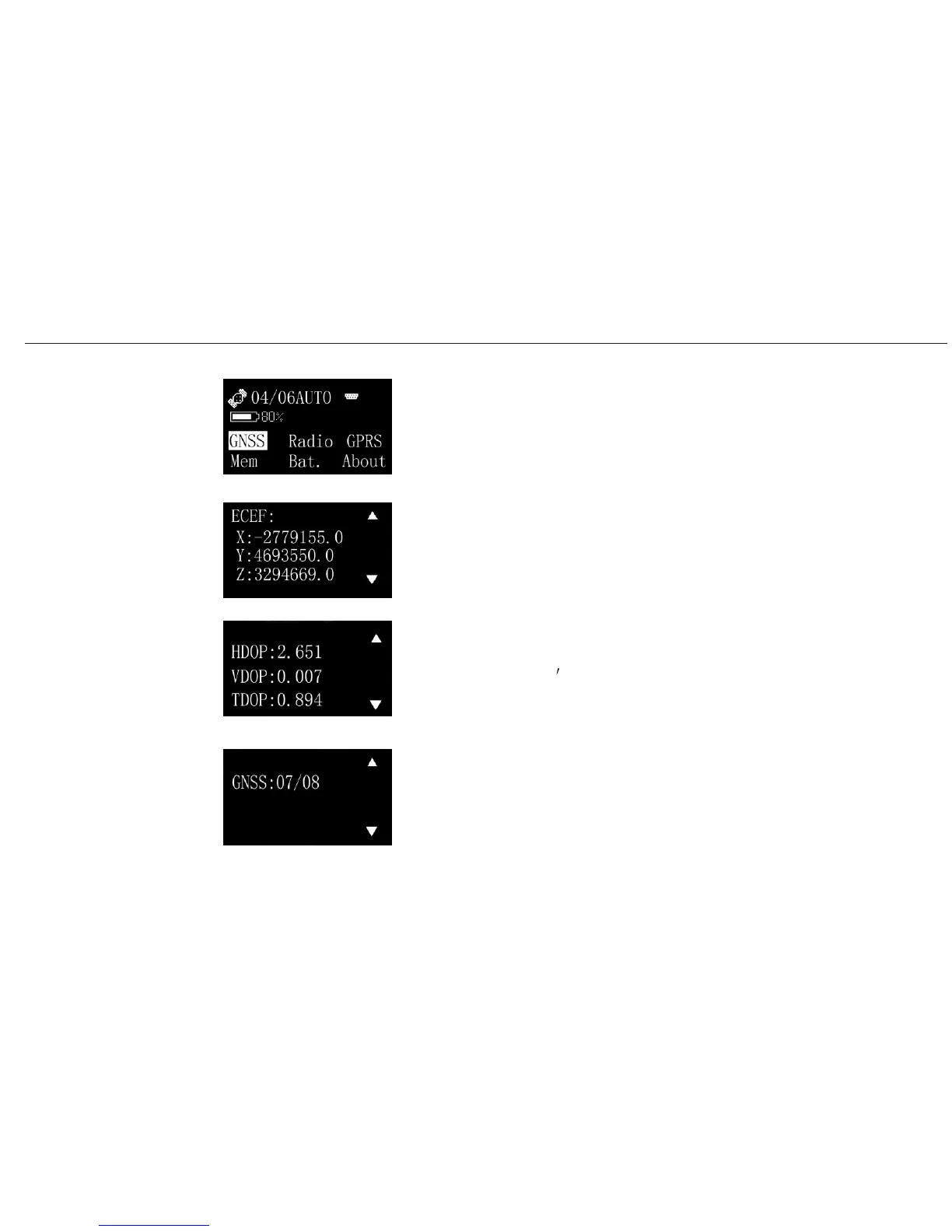
Select Info. at the main interface, you will see the options like GNSS,
Radio, GPRS, Mem, Bat. and about.
Select GNSS, you will see the followed 3 interfaces. Switch them
Coordinate
Quality of satellites
by up or down arrow.
signals
Number of satellites tracked
A20 User Manual
Operating
Menu (1)
Info menu
Info/GNSS/P1
Info/GNSS/P2
Info/GNSS/P3
26


 To Next Page