13
3.2 Installing the power supply
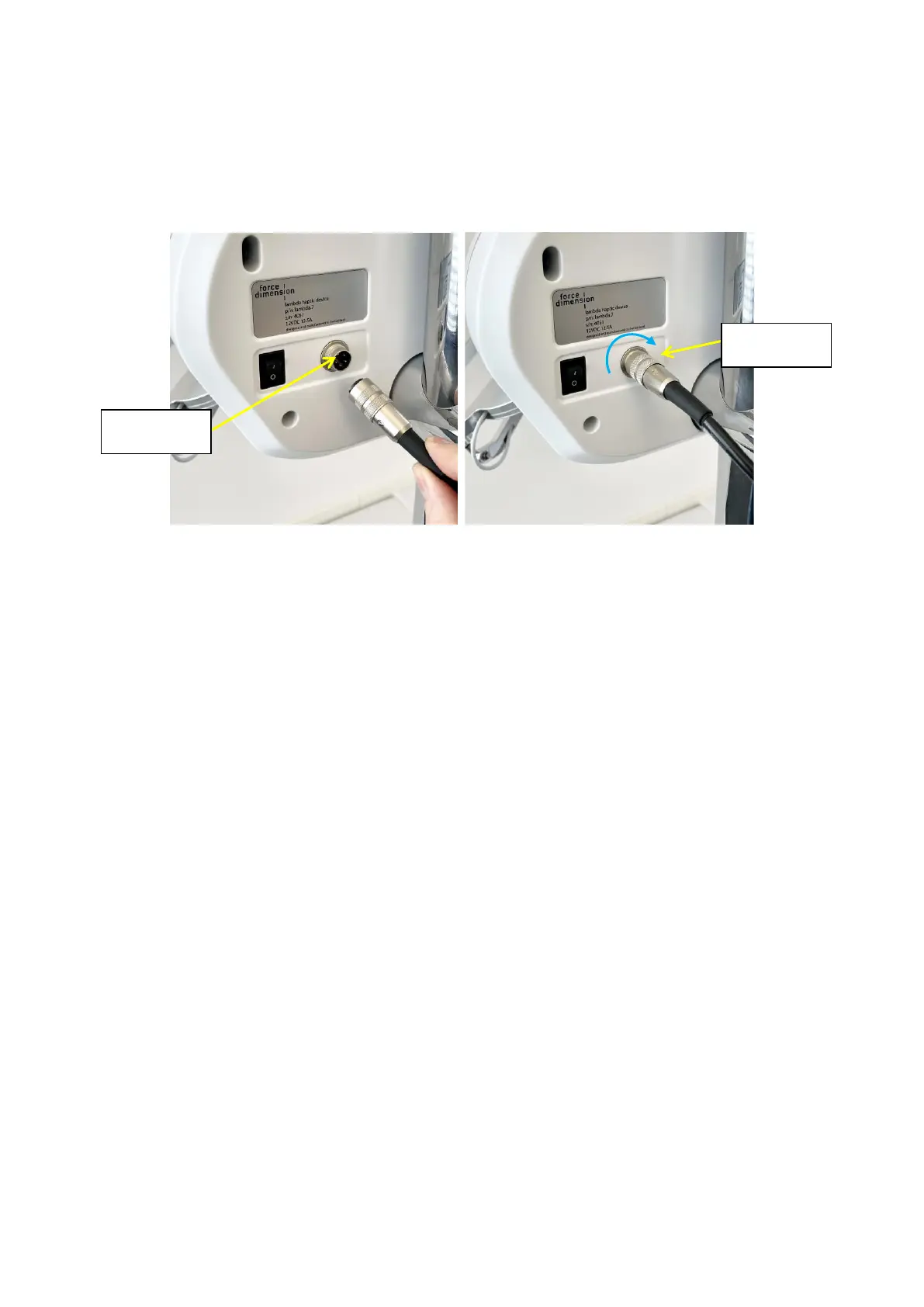
Plug and tighten the power supply into the power connector. For safety purposes you should only
operate your lambda.7 haptic device using the original power supply that came with your haptic
device controller. Replacement power supplies can be ordered directly from Force Dimension.
Figure 13 – Connection and tightening of the power connector.
3.3 Connecting the lambda.7 haptic device to your computer
Connect the lambda.7 haptic device to your computer using the USB cable which is included in
the box.
3.4 Software installation
A USB flash drive, located with the accessories, includes the drivers and SDK installation media
for the different operating systems.


 To Next Page